





Content Summary
As the digital landscape evolves, businesses are increasingly looking for ways to enhance their website performance, user experience, and scalability. One effective strategy gaining traction is the implementation of a headless WordPress architecture. This approach decouples the front-end presentation layer from the back-end content management system, allowing developers to leverage the power of WordPress while optimizing for speed and flexibility. In this article, we will explore a practical implementation strategy for headless WordPress, illustrating it through a before-and-after optimization scenario.
Understanding Headless WordPress
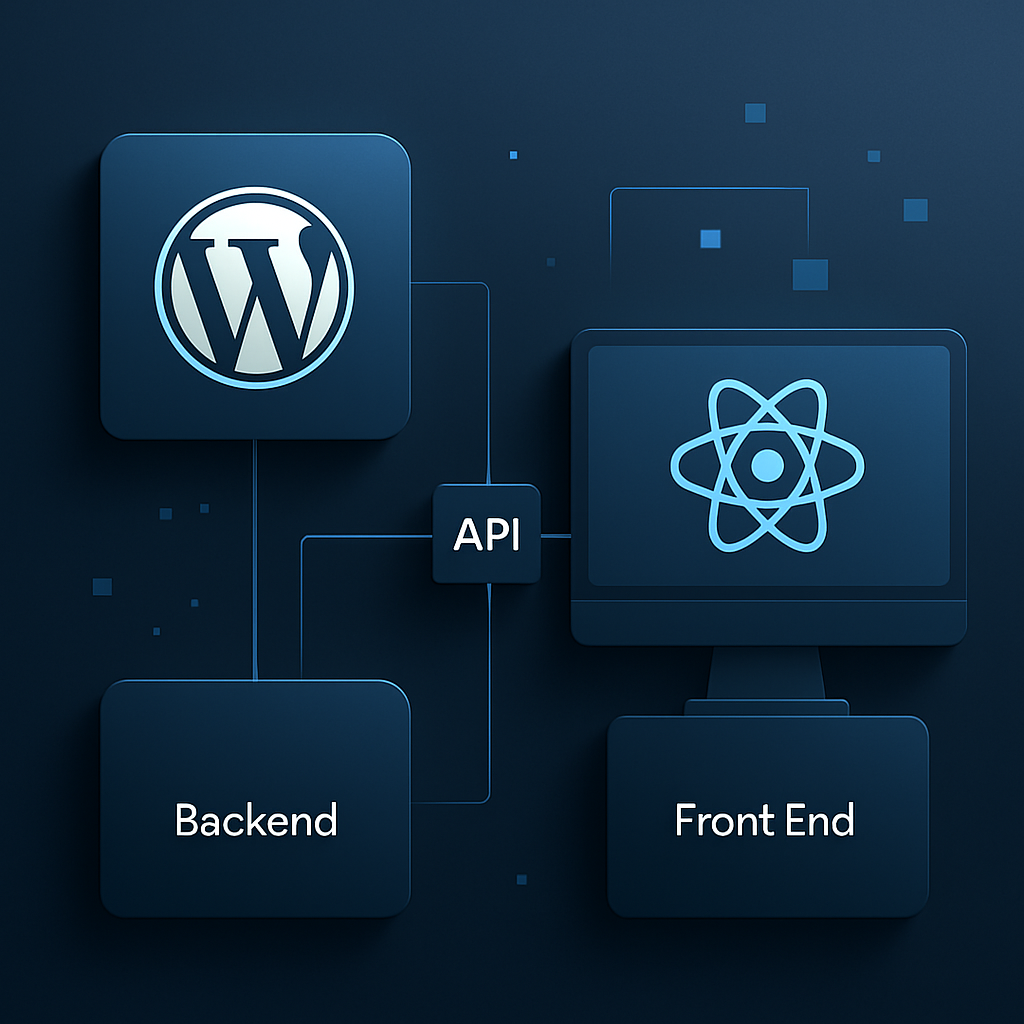
In a traditional WordPress setup, the front-end and back-end are tightly integrated. However, in a headless configuration, the back-end (WordPress) serves as a content repository, while the front-end is built using modern technologies like React, Vue, or Angular. This separation provides several advantages:
- Performance: By using a headless approach, you can significantly improve loading times and overall site speed.
- Flexibility: Developers can create a customized user experience without being constrained by WordPress’s theme system.
- Scalability: A headless setup allows you to scale your application more effectively, handling increased traffic without compromising performance.
- Enhanced Security: Decoupling the front-end reduces the attack surface, making your site less vulnerable to common threats.
Before and After Optimization Scenario
To illustrate the benefits of a headless WordPress implementation, let’s consider a fictional e-commerce site, ShopSmart, which experienced performance issues due to the traditional WordPress setup.
Before Optimization
ShopSmart’s traditional WordPress implementation had numerous challenges:
- Load Time: The site took an average of 5 seconds to load, leading to high bounce rates.
- Content Delivery: The front-end was limited by the constraints of WordPress themes, resulting in a non-responsive design.
- Scalability Issues: During high-traffic sales events, the site frequently crashed due to server overload.
- Security Vulnerabilities: The site was susceptible to attacks due to outdated plugins and themes.
After Optimization
After transitioning to a headless WordPress architecture, ShopSmart saw significant improvements:
- Load Time: The average load time decreased to under 2 seconds, drastically reducing bounce rates.
- Responsive Design: The front-end, built with React, provided a seamless and interactive user experience across devices.
- Scalability: The site could handle increased traffic during promotional events without crashing.
- Enhanced Security: With fewer plugins and a decoupled architecture, the site’s security posture improved significantly.
Steps for Implementing Headless WordPress
Transitioning to a headless WordPress architecture involves several key steps:
- Evaluate Your Needs: Assess whether a headless approach aligns with your business goals and technical capabilities.
- Select the Right Front-End Framework: Choose a JavaScript framework (e.g., React, Vue, or Angular) that suits your team’s skills and project requirements.
- Set Up the WordPress REST API: Ensure the WordPress REST API is enabled, allowing your front-end to communicate with the back-end.
- Develop the Front-End: Build the front-end application using your chosen framework, focusing on performance and user experience.
- Integrate with WordPress: Connect your front-end application to the WordPress back-end via the REST API, fetching data as needed.
- Optimize for Performance: Implement caching strategies, optimize images, and leverage Content Delivery Networks (CDNs) for faster content delivery.
- Test and Launch: Conduct thorough testing to ensure all functionalities work seamlessly before going live.
Advantages and Disadvantages of Headless WordPress
While the headless approach offers numerous benefits, it’s essential to consider the potential drawbacks:
| Advantages | Disadvantages |
|---|---|
| Improved performance and speed | Increased complexity in development |
| Greater flexibility in front-end design | Requires knowledge of modern front-end technologies |
| Scalability for high traffic | Potentially higher hosting costs |
| Enhanced security posture | More challenging to maintain without a full-stack solution |
Frequently Asked Questions
- What is headless WordPress?
- Headless WordPress refers to a setup where the back-end (content management) and front-end (presentation layer) are decoupled, allowing for greater flexibility and performance.
- Why choose a headless approach?
- A headless approach improves load times, enhances user experience, and provides better scalability while reducing security vulnerabilities.
- What technologies can I use for the front-end?
- You can use modern JavaScript frameworks like React, Vue, or Angular to create a responsive and dynamic front-end experience.
- Is headless WordPress more secure?
- Yes, decoupling the front-end reduces the attack surface, and fewer plugins can lead to a more secure environment.
- What are the challenges of implementing headless WordPress?
- The main challenges include increased complexity in development, the need for modern front-end skills, and potentially higher hosting costs.
Conclusion
Transitioning to a headless WordPress architecture can transform your website’s performance and scalability. While it requires careful planning and development resources, the benefits of improved speed, flexibility, and security make it a compelling strategy for modern web applications. By following the outlined steps and considering both the advantages and disadvantages, you can effectively implement a headless WordPress solution that meets your business needs.








