





Content Summary
In an era where digital experiences dictate brand success, implementing a headless WordPress strategy can transform how marketing agencies deliver content and engage with clients. By decoupling the front end from the back end, businesses can leverage WordPress’s robust content management capabilities while utilizing modern frameworks for the user interface. This article delves into actionable strategies for adopting headless WordPress, the implications for marketing agencies, and the impact it can have on business performance.
Understanding Headless WordPress
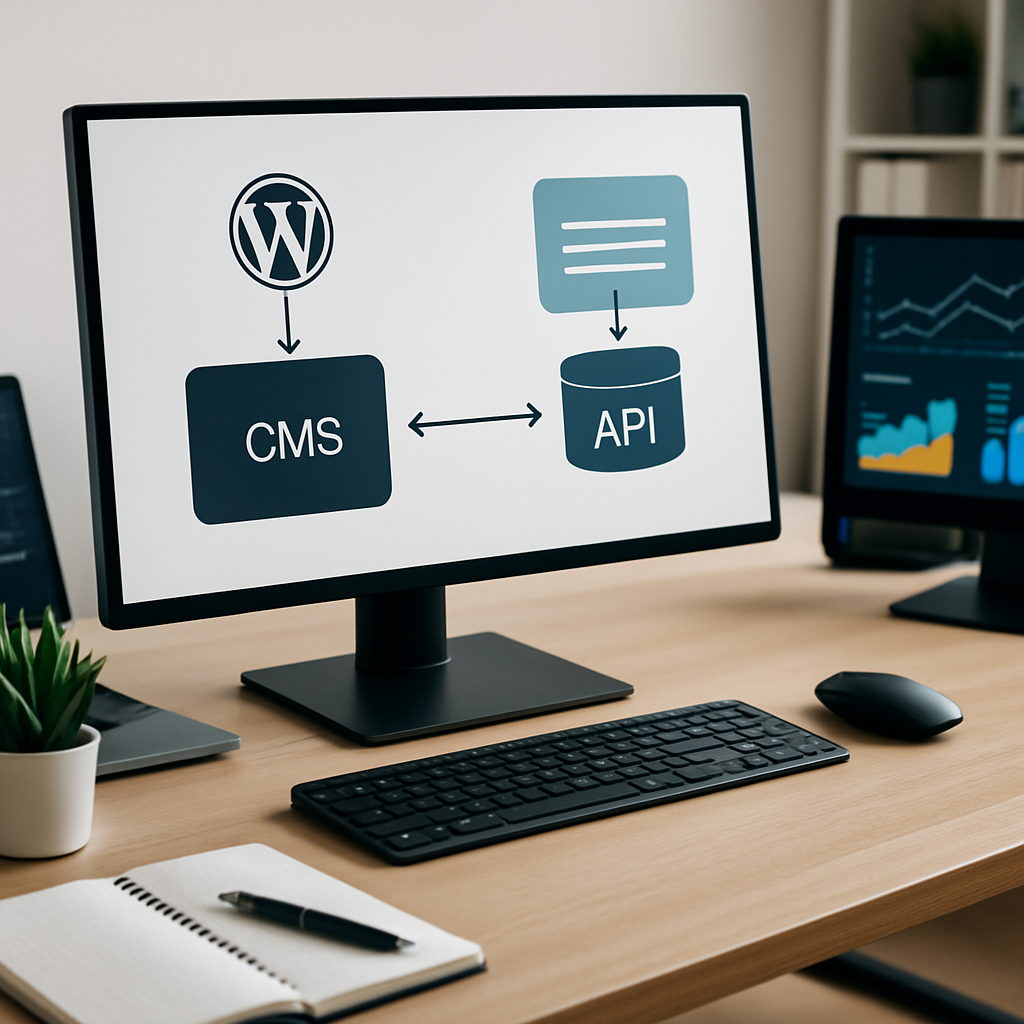
Headless WordPress refers to the separation of the back end (where content is created and managed) from the front end (where content is displayed). This architecture allows developers to use any technology stack for the front end, such as React, Vue.js, or Angular, while still taking advantage of WordPress’s powerful content management system.
Benefits of Headless WordPress for Marketing Agencies
- Enhanced Performance: By serving content through a dedicated front end, performance is significantly improved. This can lead to faster load times and better user experiences.
- Scalability: A headless setup allows agencies to scale applications independently. As traffic grows, the front end can be optimized without affecting the back end.
- Improved Security: With the front and back ends decoupled, agencies can implement more stringent security measures on the back end, reducing the attack surface.
- Flexibility in Technology: Developers can choose the best technology stack for the front end, allowing for greater innovation and customization tailored to client needs.
- Omnichannel Experiences: Headless WordPress enables content to be published across various platforms (web, mobile, IoT) seamlessly, enhancing user engagement.
Strategic Implementation Steps
Adopting a headless WordPress strategy requires careful planning and execution. Here’s a step-by-step approach:
1. Assess Business Needs
Before implementing headless WordPress, agencies must assess their specific needs and objectives. Identify the key components that would benefit from a headless approach, such as speed, security, or integration with other systems.
2. Choose the Right Technology Stack
Decide on the front-end framework that best suits your needs. Popular options include:
- React: Excellent for building interactive user interfaces.
- Vue.js: Known for its simplicity and flexibility.
- Angular: A robust framework for complex applications.
3. Set Up WordPress as a Headless CMS
Configure WordPress to function solely as a content repository. This involves:
- Disabling themes and plugins not needed for content management.
- Utilizing the REST API or GraphQL for content delivery.
- Implementing webhooks for real-time data updates.
4. Develop the Front End
Build the front end using your chosen framework, ensuring it communicates effectively with the WordPress back end. This includes:
- Creating API calls to fetch content from WordPress.
- Implementing caching strategies for optimal performance.
- Ensuring responsiveness and accessibility standards are met.
5. Test and Optimize
Conduct thorough testing to ensure the application performs as expected. Monitor performance metrics and user interactions to identify areas for improvement.
Business Impact for Marketing Agencies
Implementing a headless WordPress strategy can significantly affect a marketing agency’s business model:
- Increased Client Satisfaction: Faster, more engaging user experiences lead to higher client satisfaction and retention rates.
- New Revenue Streams: Agencies can offer advanced digital solutions and services, such as developing custom front-end applications, leading to new revenue opportunities.
- Competitive Advantage: By adopting modern architectures, agencies position themselves as innovative leaders in the digital space, attracting new clients.
Challenges to Consider
While there are numerous advantages to a headless WordPress strategy, agencies must also consider potential challenges:
- Complexity: The decoupling of front and back ends can lead to increased complexity in development and maintenance.
- Higher Initial Costs: The setup and development of a headless architecture may require a larger upfront investment compared to traditional WordPress implementations.
- Learning Curve: Teams may require additional training to effectively work with new technologies and frameworks.
Conclusion
Implementing a headless WordPress strategy presents a transformative opportunity for marketing agencies to enhance performance, scalability, and security. By carefully assessing business needs, selecting the right technology stack, and executing a well-structured implementation plan, agencies can deliver exceptional digital experiences. While there are challenges to navigate, the potential business impact makes headless WordPress an essential consideration for forward-thinking agencies.
Frequently Asked Questions
- What is headless WordPress?
- Headless WordPress refers to a WordPress setup where the front end is decoupled from the back end, allowing developers to use different technologies for the user interface while leveraging WordPress as a content management system.
- What are the advantages of using headless WordPress?
- Some advantages include enhanced performance, improved security, scalability, and the ability to create omnichannel experiences.
- What technologies can be used for the front end in a headless WordPress setup?
- Common technologies include React, Vue.js, and Angular, among others.
- Is headless WordPress suitable for all types of websites?
- While it can be beneficial for many types of websites, particularly those requiring high performance and scalability, smaller websites may not need the complexity of a headless setup.
- What are the typical challenges faced when implementing a headless WordPress strategy?
- Challenges include increased complexity, higher initial costs, and a learning curve for teams.









