
Every second counts online. We know how it feels when a website lags: frustration, lost customers, missed opportunities. In an age when almost half of users expect pages to load in two seconds or less, and many will leave if it takes more than three seconds, according to surveys highlighted on the U.S. Web Design System, cutting milliseconds can mean everything. For WordPress sites, delivering blazing-fast speed isn’t just about technical flair—it’s about trust and business results.
That’s where content delivery networks come in. As experts in WordPress development services, we’ve seen first-hand just how transformative a well-chosen network of distributed servers can be for performance, especially for agencies and businesses with multiple projects. In this article, we’ll look at how content delivery transforms website speed, security, scalability, and the overall experience. We’ll tie everything back to practical tips—so you gain real, actionable insights for your own site.
Performance expectations and real-world stakes
If your website isn’t quick, it’s invisible. Speed matters for every audience—especially on WordPress, where media-heavy pages and dynamic plugins can add extra hurdles. Users from different corners of the world expect the same instant response, no matter where your server is hosted.
We’ve witnessed businesses lose conversions due to a delay as small as one second. This isn’t just our opinion—Stanford University research reports that 45% of respondents leave a site or app when forced to wait. Imagine the impact for an agency responsible for many client sites: reputation, revenue, and SEO rankings all suffer from sluggishness.
CDNs answer these demands with a distributed approach, ensuring users around the globe get content as quickly as possible. Let’s see how.
What is a CDN, and why does it matter for WordPress?
A CDN is a global network of servers that stores, caches, and delivers your website’s content from locations nearest to each user. For WordPress sites, which often host images, scripts, videos, and stylesheets, distance between user and server means more time waiting for every file to load. CDNs solve this by moving your content closer to your audience—literally.
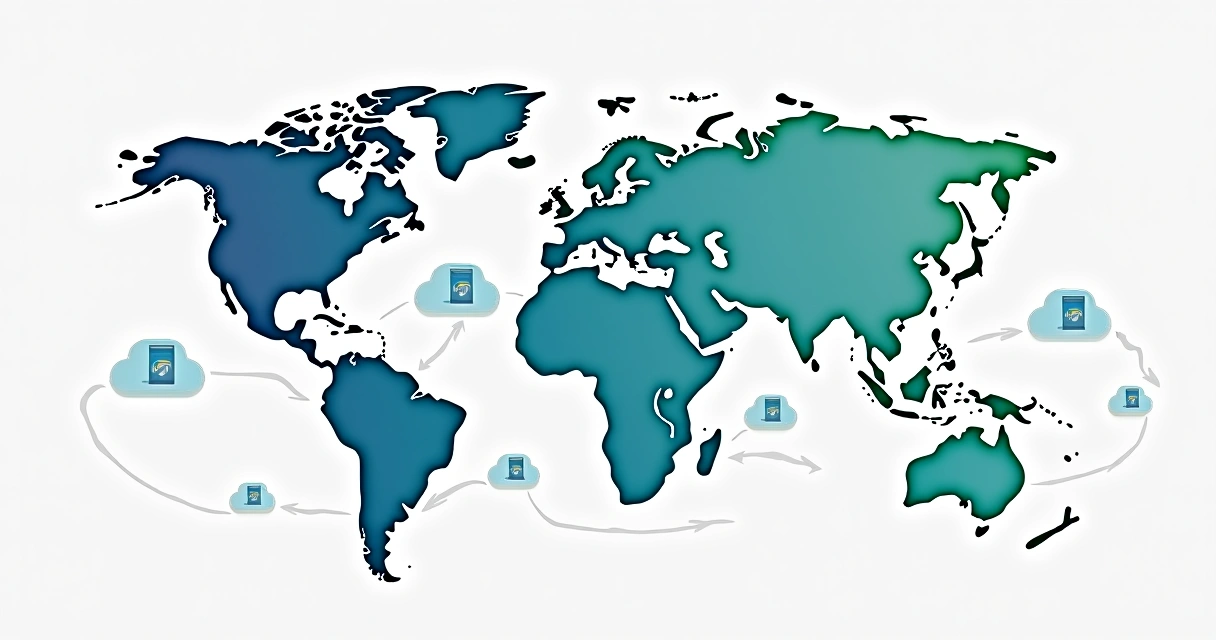 Instead of requesting each bit of data straight from your main hosting server, which might sit thousands of miles away, visitors get their images, scripts, and videos from a node much closer to them. The result? Lower latency, fewer delays, better conversions, and improved SEO.
For agencies and businesses managing multiple WordPress sites, this distributed architecture is a game changer. Sites that might otherwise crawl under heavy load or underperform globally can offer near-instant experiences to every user.
How content delivery networks work: The technical flow explained
When you connect your WordPress website to a CDN, your static content—images, CSS, JavaScript files, videos—is duplicated across a network of data centers (“edge servers”). Each time a visitor loads your page, the CDN:
- Detects where the user is.
- Finds the nearest edge server with a cached version of the requested resource.
- Delivers the content directly, instead of passing it through your origin hosting server.
This happens in milliseconds. Only on the first request for a specific piece of content does the CDN fetch it from your origin; every subsequent visit by other users in the region gets the file instantly from the edge server.
Dynamic resources, such as WordPress posts or personalized content, usually continue to come from your primary server—but many advanced services are now capable of caching dynamic fragments too, increasing site speed even more.
The closer the content, the faster the site.
Why speed matters: User experience and business impact
According to research from the University of Wisconsin–Madison DoIT Web Hosting guidance, integrating a CDN with WordPress can reduce load times and directly improve user experience. Faster sites have higher engagement rates. Visitors stay longer, convert at higher rates, and return more often.
Speed doesn’t just help user experience—it’s a ranking factor for search engines. And it’s linked to business results in every industry. For digital agencies, e-commerce shops, publishers, and service providers, this is a direct path to more revenue and stronger reputation.
CDN advantages for agencies, enterprises, and professionals
Implementing content delivery for WordPress isn’t only about pleasing visitors—it has real technical and business advantages, especially for clients with demanding needs or broad audiences.
- Bandwidth savings: By offloading traffic to the edge, your main hosting server does less heavy lifting. This can cut overall bandwidth use, preventing overages and reducing hosting costs.
- Enhanced redundancy: If one server or data center goes offline, another steps in immediately. This built-in failover keeps sites online even during local outages.
- Instant scalability: Sudden spikes in traffic—whether from successful marketing campaigns or viral content—don’t overload the origin server. The network absorbs these spikes, ensuring stability instead of downtime.
- Better global reach: Sites serve content at local speeds, wherever your audience sits. This makes a real difference for multinational businesses, remote teams, or digital agencies working with global clients.
Through projects like WordPress Development Services, we use these advantages to keep client projects running smoothly, protect reputation, and make sure agencies can serve their clients with confidence.
The impact on WordPress security: Beyond performance
When discussing content delivery, speed is just part of the story. Security gains deserve equal attention.
Distributed networks protect sites by hiding their real hosting IP address and filtering traffic through global edge servers before it reaches your origin. This means:
- DDoS mitigation: Large traffic attacks are absorbed by the network before reaching your server, making it much harder for attackers to take your site offline.
- SSL/TLS everywhere: Most leading services offer free or affordable HTTPS certificates. This encrypts all data sent between your users and edge servers, increasing trust and helping SEO performance.
- Real-time security patches: Global providers monitor for threats twenty-four hours a day and constantly update their rules to block new vulnerabilities.
Integrating a CDN doesn’t replace the need for regular WordPress maintenance or strong security plugins—things we take care of in our ongoing maintenance and support—but it sets an extra security layer between your site and the open Internet. That can mean the difference between a minor scare and a major breach.
 Static and dynamic content: What gets delivered and why it matters
Content delivery solutions can handle a range of resources. Understanding exactly what is and isn’t delivered helps in planning the best cache strategy for your site.
- Static content: Images, videos, JavaScript, CSS, fonts—these rarely change and are perfect for caching at the edge. Requests for these are served instantly, improving page speed dramatically.
- Dynamic content: Personalized pages, logged-in areas, shopping carts—these can be cached with more advanced configurations, but not always. Some providers offer “dynamic acceleration” or edge-side includes for popular platforms like WordPress, but setup and cache rules need care.
Most performance gains come from caching static files, which make up the majority of a typical WordPress page load time. The right setup trims down those frustrating waits and lets users get what they came for—fast.
Comparing CDNs to traditional hosting alone
Many still rely on standard hosting alone, betting on a single data center somewhere in the world. Traditional setups work—until they don’t.
- Geographical distance: A single server might be fast for local users, but slow for visitors thousands of miles away. Content delivery networks solve this by distributing assets globally, offering consistent experience for everyone.
- Traffic spikes: A single host can get quickly overwhelmed by sudden demand, resulting in timeouts or crashes. Distributed networks gracefully absorb these spikes.
- Security risks: Traditional hosting is vulnerable to direct attacks. Adding a content delivery layer hides your real server and filters suspicious requests.
It’s no wonder many agencies are making content delivery an integral part of every WordPress deployment. We’ve found that our combination of advanced hosting, tailored cache strategies, and integration experience reliably offers better results than legacy setups or even most competitors—something we highlight through our WordPress speed optimization services.
How content delivery boosts SEO and user ratings
Page speed is a confirmed ranking factor for Google and other search engines—meaning a slow site will fall behind, no matter how good the content. According to University of Wisconsin–Madison DoIT Web Hosting guidance, integrating a content delivery approach for WordPress not only reduces delays but can improve SEO and visibility. This shift pays off in organic rankings and user satisfaction, as both signals are measured by search engines and affect conversion rates directly.
Speed and reliability are seen—and scored—by search engines.
Additionally, the perceived speed of your site—how quickly users see content even before everything loads—carries as much weight as the true speed by many users. As highlighted by Stanford research, minimizing delays and optimizing perceived speed keeps visitors engaged and coming back.
How we implement content delivery for WordPress projects
At WordPress Development Services, we bring years of practical experience to integrating distributed content delivery for a range of client needs. Here’s our approach, step by step:
- Site assessment: We analyze current hosting, traffic patterns, and user base locations to find performance weak points.
- Provider selection: Based on project scale and business goals, we recommend the right solution—balancing reach, features, budget, and technical fit.
- WordPress integration: Through plugins, control panel settings, or DNS edits, we route traffic through the content network.
- Cache strategy: We configure cache rules to maximize static file hits and avoid breaking dynamic areas like logins or e-commerce carts.
- Testing and tuning: After setup, we test real-world speeds and fine-tune headers, page rules, and security settings. We also enable compression (such as Gzip), as shown by the Weave Journal at University of Michigan to reduce file sizes by nearly 30% in some cases.
- Monitoring: Continuous monitoring detects spikes, security threats, or cache misses. We adjust as needed to keep performance and security in check.
We routinely combine these efforts with proactive maintenance and robust WordPress security (more on that at our WordPress maintenance and security page), giving agencies and businesses lasting results instead of one-off boosts.
Choosing a CDN provider: What should you look for?
No two content delivery solutions are the same. While reviewing your options, keep these factors in mind:
- Global presence: The more edge locations, the better your reach. Look for networks with high coverage in your most relevant countries or regions.
- Layered security: Integrated DDoS protection and automated SSL/TLS make a difference—peace of mind for sensitive data and user trust.
- Dynamic content support: Advanced caching options allow for acceleration of logged-in or personalized areas. Useful for e-commerce or membership sites.
- Integration, not disruption: Smooth compatibility with WordPress through plugins or APIs ensures quick rollout and minimal downtime.
- Transparent pricing: Know the costs up front, including bandwidth, features, and scaling options.
We recommend providers based not only on reputation or big promises, but on a track record of results and clear fit to business goals. Popular choices include Cloudflare, KeyCDN, and BunnyCDN. Still, one-size-fits-all claims rarely pan out. Through our development services, we tailor every integration to actual needs, ensuring you’re not overspending or under-protecting your sites.
 How to integrate a CDN with WordPress: A practical guide
Adding a content delivery solution to your WordPress project is usually a straightforward process. Here’s how we typically proceed:
- Account setup: Sign up with the preferred provider and note API keys or zone URLs.
- Plugin installation: For WordPress, install the recommended plugin (such as the official integration for your provider).
- DNS or URL change: Point your static file URLs—images, CSS, JavaScript—to the new distribution URLs, either through plugin settings or by editing your theme.
- Cache and security settings: Set cache expiration, enable SSL, and turn on extra protections.
- Testing: Load sample pages, check with browser developer tools, and confirm content loads from the nearest edge server.
- Monitor metrics: Use analytics from your provider and tools like Google PageSpeed Insights to track real-world improvements.
We’ve developed custom automations for agencies who manage multiple client sites, handling bulk integration and ongoing updates. If you want to connect WordPress with other business tools, our WordPress integrations for business tools are designed with interoperability and reliability in mind.
 For more advanced setups with e-commerce or multilingual sites, careful configuration prevents cache issues on dynamic content like carts or dashboards. We recommend setting “never cache” rules for sensitive pages and always testing as logged-in and non-logged-in users.
Fine-tuning cache settings for speed and safety
Optimization is about more than just flipping a switch. Even with a powerful content network in place, your WordPress cache rules dictate the real performance gains. Here’s what we put into practice:
- Set optimal TTL (Time To Live): Balance between long cache times for rarely-updated files (images, videos) and shorter times for files that change more often.
- Use cache busting: Whenever assets change, update file names or query strings to force edge servers to fetch the fresh file.
- Minimize dynamic cache: Only cache public, non-personalized pages unless your provider offers advanced dynamic caching with WordPress compatibility.
- Enable compression: Gzip or Brotli can shrink files by nearly 30%, as found in studies from the Weave Journal, making every request faster and lighter.
- Check for plugin conflicts: Some cache plugins clash with network-level caching; always test after any major change.
We take these steps further with custom monitoring scripts, alerting agencies and businesses if cache rules ever slip out of line. If you’re managing sites for others, this is non-negotiable—a single misconfigured setting can slow down dozens of projects at once.
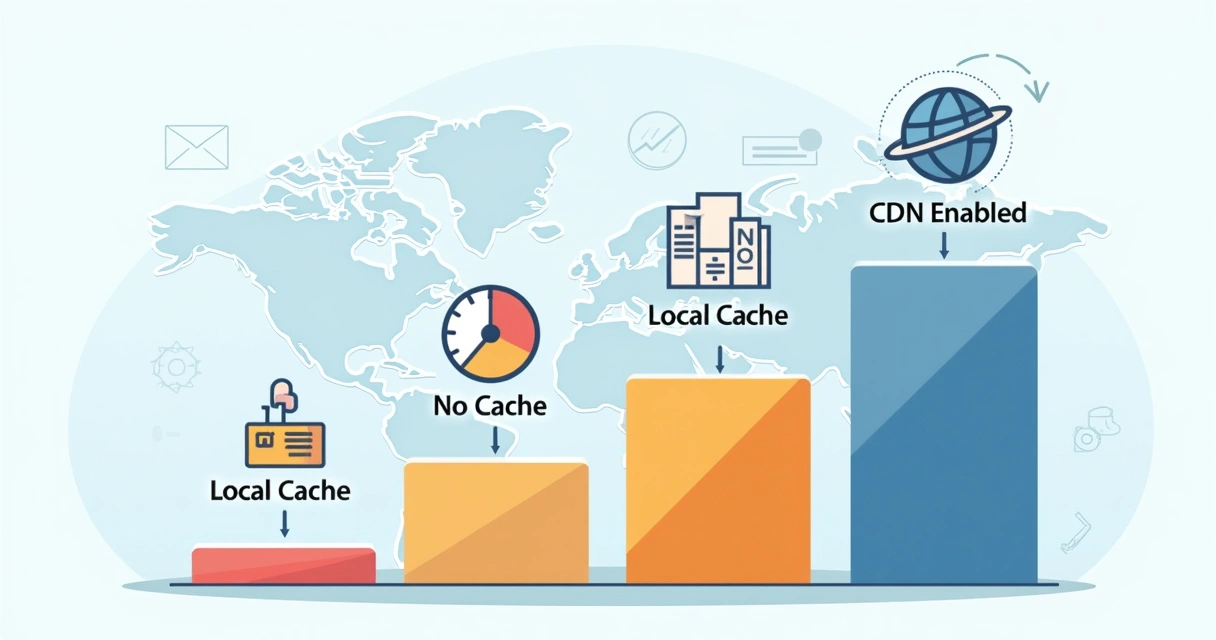 Bandwidth, redundancy, and reliability: Core wins for agencies
The business value can’t be overstated, especially at agency scale:
- Bandwidth offload: By moving traffic away from your main host, you save on bandwidth, avoid performance cliffs, and can even downgrade to a smaller hosting plan if most traffic is static.
- Redundant delivery: If one node struggles or a link fails, traffic routes seamlessly to another edge. Your uptime improves and maintenance windows no longer mean total blackout.
- SLA-backed support: Top providers guarantee uptime—something your clients demand and contracts require.
With our performance optimization expertise, we’ve helped agencies reduce hosting bills, handle sudden traffic surges, and maintain 99.99%+ uptime across dozens (or hundreds) of sites. In a competitive industry, reliability is non-negotiable, and it’s one of the reasons agencies and businesses trust us when stakes are highest.
Measuring the impact: What real-world improvements can you expect?
We believe every decision should be backed by results. Here’s what we routinely find after introducing content delivery for WordPress platforms:
- 50% to 80% reduction in load time for visitors outside the server’s country.
- 30% or more decrease in main server bandwidth usage, lowering hosting bills and freeing up capacity.
- Major improvements on speed test scores and websites ratings, influencing SEO rankings and minimizing bounce rates.
- Higher conversion rates for e-commerce, due to snappier performance and increased user trust.
Even modest improvements bring tangible gains. And when multiplied across many sites on an agency roster, the impact is exponential. Those numbers aren’t hypothetical—they’re what we see every quarter for clients who trust our WordPress Development Services approach.
 Common pitfalls to avoid when integrating a CDN with WordPress
Speed isn’t guaranteed just by turning on a service. In our years of experience, we’ve spotted a handful of mistakes that can trip up even seasoned professionals:
- Not excluding admin and login pages: These should always bypass cache, or you risk breaking logins for users and admins.
- Failing to set cache purges: When you post new content, your network needs to know to refresh the cache for updated pages or posts.
- Allowing mixed content issues: If your CDN isn’t running on HTTPS, you can end up with security warnings and lost trust.
- Plugin and theme conflicts: Some WordPress plugins attempt to cache pages at the application layer, which can clash with edge caching. Testing and monitoring are key.
By flagging these issues early, we ensure all of our WordPress Development Services clients get real, reliable benefits—not just one-off speed bumps.
How to tell if your WordPress site needs a content delivery upgrade
You might think your current setup is “fine”—but we urge every business or agency to review these symptoms:
- International users report slow performance.
- Frequent downtime during marketing campaigns or big announcements.
- High bandwidth bills or hosting overages.
- Negative SEO signals due to slow pages or limited reach.
- Regular security threats or legacy setups without DDoS protection.
If you recognize even one sign above, a tailored integration could produce meaningful, measurable results quickly. As part of our solution-oriented work, we custom fit every CDN to client needs, avoiding generic advice and focusing on what will have the largest real-world impact.
Integrating a CDN with WordPress multisite and large-scale projects
Large multi-site platforms and agency portfolios require careful planning. Managing lots of sites, domains, and content patterns adds complexity. We’ve handled upgrades and transitions for projects with dozens or hundreds of sub-sites by:
- Using wildcard SSL certificates for seamless domain coverage.
- Automating cache purges and script updates on publishing new content network-wide.
- Providing unified dashboards for performance and security reporting.
Every step reduces manual work, risk of human error, and time spent troubleshooting, letting agencies focus on creative and growth tasks rather than technical fire drills. For those interested in robust, ongoing care, our support and maintenance services are tailored with this in mind.
 Conclusion: Faster, safer, and smarter WordPress with CDN
Delivering fast, secure, and reliable experiences across every WordPress project isn’t just a wish—it’s completely achievable with the right content delivery solution. We’ve seen the results: reduced bounce rates, higher SEO rankings, lower costs, and fewer frantic troubleshooting sessions for agency and business teams alike.
A distributed network is now the standard for modern sites—offering every visitor the best experience, everywhere, every time. Through our expertise at WordPress Development Services, we combine tailored integration, ongoing protection, and actual, proven results. If you’re ready to make your site faster, safer, and more scalable, let’s connect. Learn what our team can do to boost every project, from single-shop blogs to high-traffic agency networks.
Frequently asked questions – CDN and WordPress
What is a CDN and how does it work?
A CDN (content delivery network) is a system of globally distributed servers that stores copies of your website’s static content and delivers it to users from the nearest possible location. When someone visits your WordPress site, the CDN serves static files (images, CSS, JavaScript) from an edge server close to them, instead of from your main host. This reduces latency, cuts down wait times, and ensures fast, reliable access for every visitor—no matter their location.
How does a CDN speed up WordPress sites?
CDNs speed up WordPress sites by caching and delivering static assets from servers closer to each visitor, reducing the distance data must travel. This slashes page load times, lowers bounce rates, and improves SEO rankings. Some advanced providers also offer dynamic content acceleration, further boosting performance for personalized areas or logged-in users.
Is using a CDN worth it for my website?
If your site serves visitors in different regions, experiences speed issues, faces regular traffic peaks, or is part of an agency’s multi-site portfolio, using a CDN is absolutely worth it. Even small sites benefit from better reliability and security. For agencies managing several WordPress projects, a CDN is a must-have for performance and peace of mind.
How much does a CDN cost?
Costs vary by provider and usage. Many global networks offer free tiers suitable for small to midsize sites, while premium plans charge for bandwidth, advanced features, or extra security. For agencies or high-traffic projects, budgeting for a paid plan brings guaranteed performance and support, but most businesses find the investment quickly offset by bandwidth savings and better uptime.
What are the best CDN providers for WordPress?
Some popular options include Cloudflare, KeyCDN, and BunnyCDN. Each has unique strengths for WordPress integration, security, and global reach, but our experience at WordPress Development Services proves that the best results come from matching the provider to your actual needs and scaling plans. One-size-fits-all claims rarely lead to lasting success; custom integration and proper cache strategy always produce better outcomes.