
In our years crafting solutions for the WordPress and online business community, we have seen a growing demand for flexible integration and automation. The increasing popularity of e-commerce on WordPress means more professionals and agencies are seeking ways to interconnect their stores and services. The REST API provided by WooCommerce has rapidly become the backbone of these efforts, enabling platforms to communicate with each other and evolve beyond the traditional limits of a web store.
Through this guide, we’ll share our insights, technical experience, and practical know-how as WordPress specialists – notably as providers of services like those at André, where delivering reliable, adaptive, and secure solutions for agencies and businesses is the focus. Whether you’re new to WooCommerce API integration, or seeking to advance your e-commerce solutions, this article will deepen your understanding and help turn your goals into results.
Shaping modern commerce with WordPress APIs
The traditional way of managing e-commerce was often isolated. Platforms and tools rarely spoke to each other. Today, that has changed dramatically. The WooCommerce REST API breaks these barriers, letting you expand your store by connecting it with tools for CRM, ERP, shipping, analytics, inventory and even custom workflows.
Unlock a world where platforms connect and automate—effortlessly.
Our project’s mission is to empower businesses, agencies, and professionals with technical excellence. By mastering WordPress and its APIs, we help you build robust, scalable solutions tailored to your real needs. Throughout this guide, we’ll demonstrate approaches we’ve used with clients, discuss current best practices, and provide clear explanations to unlock value from APIs.
What is the WooCommerce REST API?
Let’s clarify the basics. The REST API for WooCommerce gives developers a standardized way to access, modify, and synchronize data from an online store remotely. With integration, you aren’t limited to manual work in WordPress. Instead, you can manage products, orders, customers, coupons, and reports by sending HTTP requests and receiving JSON responses.
This opens the door to new services, apps, or features that can:
- Read your store data for reporting, analytics, or third-party dashboards.
- Create and update products, categories, or inventory from external systems.
- Automate order management and fulfillment workflows.
- Connect to marketing, shipping, or accounting platforms easily.
- Trigger actions in real time based on store events, using webhooks.
Behind the scenes, it relies on REST (Representational State Transfer) principles. This means predictable, resource-based URLs (endpoints), standard HTTP verbs (GET, POST, PUT, DELETE), and data formatted as JSON.
We have used this approach in countless agency projects, for example, allowing a WooCommerce store to sync products with external warehouses, or to keep track of multi-channel sales for our clients. Understanding this foundation is the first step.
How the WooCommerce REST API works
At its core, WooCommerce’s API is built on top of the WordPress REST API. If you know how REST APIs work in general—stateless requests, resource-based endpoints, and well-defined request and response types—you’ll feel right at home.
RESTful endpoints
Endpoints are entry points for specific data or actions. For WooCommerce, endpoints typically look like this:
https://yourdomain.com/wp-json/wc/v3/products
Each segment has a purpose:
- /wp-json/ indicates the REST API namespace in WordPress.
- /wc/ is for WooCommerce endpoints.
- /v3/ tells the API version—more on this soon.
- Then the specific resource, like products, orders, customers, etc.
You interact with these endpoints using HTTP requests. For example, a GET request retrieves a list of products. A POST creates a new one. A PUT updates, and a DELETE removes it. This structure is predictable, and once mastered, it speeds up your development cycle enormously.
Why use the WooCommerce REST API?
There are plenty of plugins and manual ways to connect platforms, but the REST API stands out in terms of speed, scalability, and control. With the API:
- You don’t need custom plugins for every integration.
- It’s easier to keep multiple systems in sync—like inventory, pricing, or shipping updates.
- Automations can run reliably in the background without human involvement.
- You can build custom admin dashboards, mobile apps, or tools on top of your WooCommerce data.
From our professional experience, this flexibility and control give agencies and larger businesses a real advantage. We regularly include REST API-based solutions in our custom plugin development projects, helping clients go beyond the limits of “off-the-shelf” integrations.
The structure of API requests and responses
If you’re accustomed to working with modern APIs, WooCommerce’s structure will feel familiar and intuitive.
HTTP methods you’ll use
Each request uses one of the following standard methods, mapped to the type of action needed:
- GET: Retrieve resources (products, orders, etc.)
- POST: Create new resources.
- PUT/PATCH: Update existing resources.
- DELETE: Remove resources.
JSON everywhere
Both requests and responses use JSON format, a lightweight data-interchange format widely supported by all major programming languages and HTTP clients. It’s readable, easy to process, and standard in modern web development.
Sample request—fetch all products:
GET https://yourdomain.com/wp-json/wc/v3/products
Response:
[ { "id": 23, "name": "T-shirt", "price": "20.00", "stock_quantity": 14 // ... more product data }, // ... more products]
When creating or updating, you simply send the resource in the body as JSON. Here’s a quick look at what a POST to add a new product might carry:
{ "name": "New Hoodie", "type": "simple", "regular_price": "35.00", "description": "A cozy new hoodie for your store."}
This format makes it a breeze to integrate with virtually any other service or scripting language. You focus on the business logic, not parsing strange formats.
 API responses and error handling
All responses come as JSON, making it straightforward to interpret the outcome. Successful operations return the resource (or list of resources) with updated data. Errors provide a JSON object detailing what went wrong—like missing parameters, invalid data, or authentication issues. This makes debugging and automation much smoother.
Authentication: Securing your store’s API
REST APIs must be secure. Otherwise, anyone could read or modify your store data. WooCommerce provides several ways to authenticate requests.
Methods supported by WooCommerce
Depending on your environment, version, and technical preferences, you can choose among:
- API Keys (Consumer Key/Secret): Classic and widely used, best for server-to-server communications.
- OAuth 1.0a: Used for applications where a user grants access (legacy support, mostly).
- Cookie/Nonce authentication: Only available for users already logged into WordPress, typically for internal plugin or theme development.
API keys explained
API keys are the most practical authentication for most WooCommerce API scenarios. You create a pair (consumer key and secret) in the store’s dashboard. These are tied to a user and their permissions (like read, write, or both).
- They are sent as URL query parameters or in the HTTP headers.
- They provide clear logging and tracking—you see who did what, and when.
- If compromised, they can be rotated without changing the store’s other access methods.
Using OAuth and advanced setups
OAuth is often better suited to third-party SaaS integrations needing delegated access. While many modern integrations now focus on API keys and bearers, OAuth remains available for compatibility with legacy systems.
Best practices for authentication
- Always limit your keys’ permissions (read-only, write, etc.) as narrowly as possible for the use case.
- Regenerate and replace keys regularly.
- Never share private keys in public code repositories or chat systems.
- When possible, transmit credentials over HTTPS only.
Secure access is the foundation for trust and scalability when connecting your store.
For our clients, we always recommend key management workflows designed for security and traceability. By offering guidance on both user role management and key distribution, we help businesses minimize risks while maximizing development speed.
The role of API versioning in compatibility
API changes are inevitable as WooCommerce evolves. New features arrive, or sometimes existing ones change format. To prevent integrations from breaking, careful API versioning is used.
Why does the API version matter?
Every API call includes a version in the endpoint URL. For WooCommerce, it usually looks like /v3/ or /v2/. Using a fixed version means your integration won’t break if new features or changes roll out in future releases. You choose when to update, test changes, and adopt improvements on your timeline.
In our experience, sticking with a specific version while developing and testing integrations gives you control. When updating plugins or WooCommerce itself, we recommend:
- Checking the changelog for API updates.
- Testing calls on a staging site before going live.
- Updating your integrations to use newer API versions once verified.
Backward compatibility is generally respected, but relying on API documentation and version consistency is the only way to assure stability in complex, automated workflows.
Staying up to date
WooCommerce’s team and the wider WordPress developer community are proactive about versioning and backward compatibility. We find that keeping track of updates not only minimizes bugs, but also opens up access to new features without sudden disruption.
We recommend our clients subscribe to official developer channels, or work with partners like us for API maintenance, so API updates do not become a source of risk or surprise. As highlighted in studies from the University of Washington’s specialization on API Documentation, clear documentation and versioning guidelines are the backbone of reliable, large-scale integrations.
Connecting WooCommerce to external platforms
One of the most common reasons for using the WooCommerce REST API is to connect your store to other tools or platforms. This section covers hands-on, real-world scenarios for both agencies and solo developers.
 Common integrations made possible
- Inventory sync between warehouses or third-party logistics.
- Order and shipment automation with fulfillment providers.
- Customer and order data import/export with CRM or ERP platforms.
- Live product catalog updates with manufacturers or wholesalers.
- Custom reporting integrations based on real-time sales data.
From our work with agencies, the ability to automate repetitive management tasks and feed accurate data into multiple systems means less error, faster reaction time, and more time to focus on growth or customer relationships.
How to set up a basic API integration
Here’s a typical workflow for developers:
- Generate API keys for a user in your WooCommerce admin dashboard.
- Decide which data you want to access or update (products, orders, etc.).
- Construct an HTTP request to the matching endpoint using the correct method and credentials.
- Handle the JSON response on your server or app.
- Implement error checking and logging.
- Iterate until the workflow is reliable and secure.
We advise documenting each integration process step, especially for agencies with more than one developer or end client. Standardization prevents errors and accelerates onboarding for new team members.
Middleware: When and why?
Occasionally, direct integrations are not practical. Middleware services (like Zapier, Make, or even custom-built middle layers) can bridge the gap between WooCommerce and other tools. These are attractive for smaller shops or those with limited technical resources, but for businesses with recurring custom requirements, we provide fully integrated, maintainable solutions to prevent vendor lock-in and ensure maximum flexibility.
Webhooks: Automate workflows with event triggers
Webhooks let you automatically notify external systems when something happens in your WooCommerce store. These are push notifications, which differ from APIs that require clients to ask for (“poll”) data regularly.
When a certain event occurs—like a new order is created, a product is updated, or a customer signs up—the store instantly sends a POST request to a URL you specify. That endpoint can be any server, SaaS integration, or custom script ready to react. This powers live dashboards, instant notification systems, real-time analytics, and much more.
Common use cases for webhooks
- Real-time order processing with fulfillment companies
- Customer updates to external newsletter or marketing tools
- Product or inventory change syncing with external inventory systems
- Sending instant notifications to Slack, Teams, or SMS
 How to set up webhooks in WooCommerce
- Log into your WordPress dashboard, and go to WooCommerce > Settings > Advanced > Webhooks.
- Click “Add webhook”.
- Pick a name, topic (event type), and delivery URL (where the notification should go).
- Choose a secret for signed verification of payloads (prevents spoofing).
- Save, and test!
We help agencies and businesses implement robust webhook endpoints, including retry policies and payload validation, to ensure no orders or updates are lost if a notification fails temporarily.
Best practices for scalable integrations
As specialists in WordPress development and ongoing support, we’ve seen the difference that good design and discipline make with API integrations. There’s a noticeable effect on long-term stability, even with frequent changes or heavy traffic.
Prioritize security at each stage
- Always use HTTPS for all API and webhook calls.
- Store API keys securely and never expose them in logs or front-end code.
- Restrict API key permissions to “read” or “write” as narrowly as possible.
- Consider rotating keys regularly, especially after staff changes or security incidents.
Plan for error handling and retries
Network hiccups and system errors are inevitable.
- Implement retry logic for temporary failures, especially with webhooks.
- Log errors and successful events for audit trails and debugging.
- Alert admin or dev teams if critical actions fail or don’t complete as expected.
Respect API rate limits and resource usage
All APIs have resource limits to prevent misuse or unintentional overload. When scaling, throttle requests or batch updates to avoid being blocked.
- Spread out large updates over time.
- Cache responses where possible, to avoid repeated real-time queries for non-urgent data.
- Monitor API usage, especially during big launches or sales events.
This systematic approach is central to our maintenance and support offerings – keeping sites stable, fast, and secure even as their integrations grow.
Use clear, up-to-date documentation
Well-documented code, endpoints, and workflows prevent confusion, speed up troubleshooting, and simplify onboarding new developers. The University of Washington’s specialization on API Documentation reinforces the value of clarity and detail in the long run. We provide thorough, annotated documentation in every client delivery, and recommend regular updates as systems evolve.
Testing before production
- Use staging sites and mock data for initial development.
- Create automated tests for critical integration points (order creation, sync tasks, etc.).
- Simulate failures by disconnecting external endpoints, then confirm that error handling and alerts work as intended.
Implementation tips for agencies and developers
Many agencies handle multiple clients, each with different needs for integration, automation, and reporting. Based on our work for agencies and our services like custom plugins development for agencies, we have developed a toolkit of practical, time-saving advice:
 Template common workflows: Keep templates or starter scripts for product, order, and customer endpoints. This reduces development overhead, especially with similar requests across clients.
- Abstract API logic where possible: If integrating with the same external tool for several stores, wrap API logic into reusable modules. This works especially well when building plugins for agencies.
- Automate credential rotation: Use managed secret storage or vault systems, particularly for agencies managing multiple stores with different access levels.
- Build custom admin tools: Sometimes off-the-shelf dashboards do not fit. Building admin sections pulling live data through APIs custom-tailored to your workflows gives more control and clarity. Our project has helped many clients with custom dashboard solutions.
- Schedule integration health checks: Use automated jobs to verify API connections, test endpoint response times, and monitor critical webhooks.
- Involve stakeholders with clear reporting: When end customers need regular updates, automate status emails or dashboards fed directly by the API. This transparency builds confidence and trust.
These strategies, while simple, add up to less stress, faster launches, and much smoother scaling in our development practice.
Advanced API concepts: Pagination, filtering, and batching
Modern e-commerce platforms, even mid-sized ones, can have thousands of products, customers, or orders. Processing all of this at once would be slow (and sometimes impossible). The API supports several features to keep your integrations efficient.
Pagination: Working with large data sets
When you query a resource like products or orders, the API returns results in “pages”, usually with 10-100 records at a time.
Response headers provide information about total items, total pages, and pagination navigation. By iterating through pages in your code, you can work with just a slice of the data at a time, then combine or process as needed.
Filtering and searching
Instead of processing everything, APIs allow you to:
- Filter by ID, date, status, or other attributes. For example, “all completed orders in the last week”.
- Search by keywords or product attributes.
- Sort responses by various fields.
Filtering is one of the quickest ways to make your integrations both fast and targeted.
Batching: Reducing request count
Batch endpoints let you send multiple create, update, or delete operations in one API call. This means you can update several products, customers, or orders in one shot, with a single JSON payload.
We used batching in many projects to speed up inventory updates, order fulfillment, or mass edits. It reduces network load, speeds up integration cycles, and helps you stay within rate limits.
 Practical use cases and real-world applications
To show how all of this comes together, here are some real-world ways we have used APIs to help our clients grow and manage their e-commerce business efficiently.
Automated inventory synchronizations
For multi-channel sellers, keeping WooCommerce and external warehouses or dropship suppliers in sync is challenging. API automation pulls fresh inventory data every hour and updates the store automatically, reducing overselling and backorders.
Custom analytics dashboards
Standard WooCommerce reporting does not always fit every business. Using API endpoints, we have connected store data into powerful analytics platforms or built custom dashboards for clients who need at-a-glance KPIs and cross-channel performance insight.
CRM and ERP integration
Integrating customer and order data with CRMs is one of the most popular requests. Automated data flow ensures sales, customer service, and marketing tools know what’s happening in real time, without manual import/export headaches.
Automated order processing and shipping
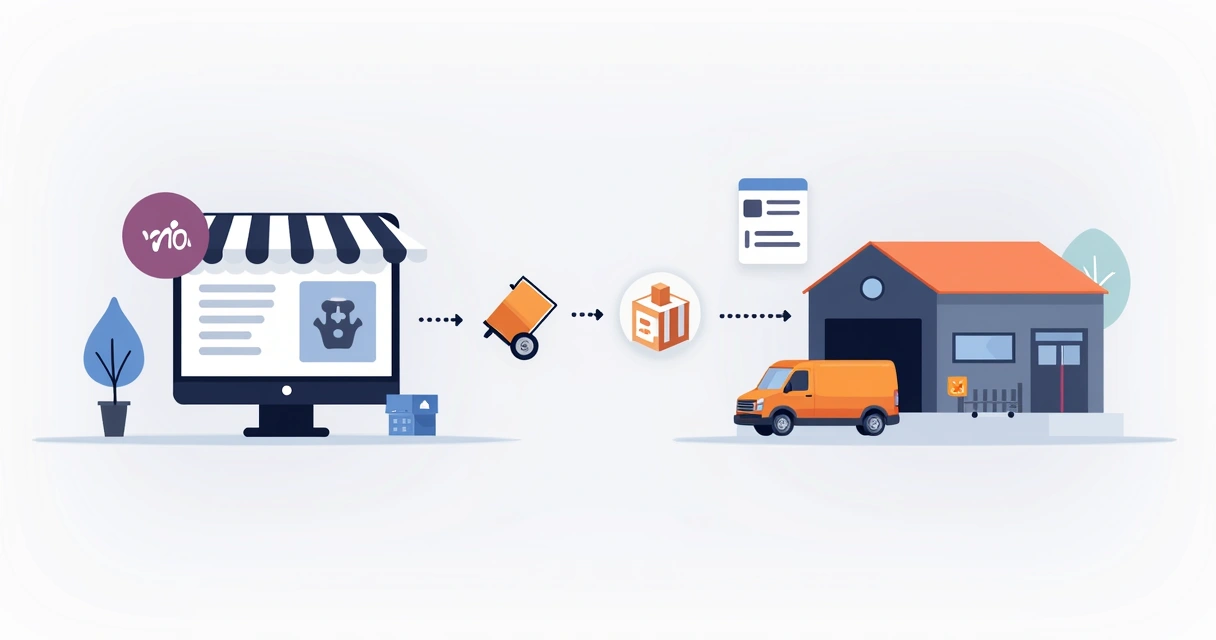
We have built systems for agencies that automatically send new orders to fulfillment partners, update shipping status, and track numbers, and even notify customers of shipment milestones – all with creative use of APIs and webhooks.
 SaaS platform integrations
For agencies managing stores that use multiple SaaS tools (like email marketing or loyalty platforms), custom API bridges synchronize customer lists, campaign triggers, or points balances in real time. This approach is more adaptable and secure than many mainstream plugin-based integrations.
Real-time event notifications for agencies
For agencies managing multiple client stores, webhook-driven alerts notify team members instantly when high-value orders come in, products go low in stock, or other critical events happen. This helps keep support responsive and customers happy.
If you want to learn more about building custom plugins for WordPress step by step, see our in-depth guide to plugin development.
Troubleshooting common API problems
Even with the best designs, things don’t always work as planned. Here’s a summary of issues we see most often, and how we help our clients solve them quickly.
- Authentication errors: Double check your API key/secret, permissions, and that you’re connecting via HTTPS. Regenerate keys if unsure.
- Incorrect API endpoint or version: Carefully verify endpoints, and confirm you’re using the correct version for your site’s WooCommerce release.
- CORS issues: Browser-based apps can encounter cross-origin problems. It may require additional server headers or OAuth authentication.
- Timeouts for large data transfers: Use pagination and batching, rather than requesting thousands of records at once.
- Insufficient permissions: Some API keys only provide read access. Check user roles and scopes.
- Order of plugin loading: Custom plugins or themes that interfere with REST API routes can sometimes break integrations. We recommend isolating custom logic, and checking with minimal plugins/themes if problems occur.
- Webhooks not triggering or being received: Confirm delivery URLs are accessible, events are active, and endpoint validation (with secret) is set up correctly. Monitor logs for failures.
 For ongoing support and incident management, our services stand apart through proactive monitoring, fast turnaround, and clear collaboration with technical stakeholders. That’s part of our commitment to delivering robust, long-term integration solutions for agencies and businesses alike.
Building custom WooCommerce plugins and integrations
Standard plugins fit many situations, but unique processes, business rules, or data needs often demand tailored solutions. We specialize in custom plugin development to help clients realize workflows that fit like a glove.
Examples include:
- Automated data synchronization tools tailored to unusual external platforms.
- Hybrid admin pages that display and update WooCommerce data with external source guidance.
- Specialized event triggers and notification systems for agencies who need unique timing or rules out of the box plugins can’t provide.
- Integration with legacy systems, where adaptation is necessary for sustainable growth.
We combine deep WordPress knowledge with sound software engineering to build plugins with intuitive admin interfaces, robust error handling, and full API integration—backed by ongoing maintenance. If you’re interested in powerfully connecting your website with the tools that drive your business, see our WordPress integration services at WordPress Integrations.
Future trends: The evolving API landscape
The e-commerce ecosystem constantly changes. New SaaS platforms, stricter privacy requirements, and rising demand for real-time intelligence mean APIs will remain at the heart of digital commerce for years to come.
Several trends we’re preparing for with our clients include:
- Growing use of serverless architectures for receiving and processing large volumes of webhook data efficiently and economically.
- Increasing reliance on real-time event streaming, rather than scheduled or delayed data transfers.
- Stronger authentication and auditing requirements, especially with international privacy laws like GDPR and CCPA.
- Greater demand for headless commerce—decoupling the user interface from the backend—using APIs as the only “glue” layer.
- AI-driven automations, where APIs are used to feed constant data to external tools and decision engines.
 Those who invest in adaptable, robust API-based integrations today will find it much easier to adjust quickly, adding new features or platforms as their needs change overnight. Our project’s ongoing focus on solid architecture and technical support is designed to future-proof your business and agency operations for this fast-approaching reality.
Learning resources and next steps
For those ready to study further or seeking hands-on advice, we recommend a blend of official documentation, hands-on experimentation, and—where possible—engagement with seasoned WordPress integrators.
- The official WooCommerce REST API documentation describes endpoints, arguments, and sample responses.
- The University of Washington’s specialization on API Documentation is among the best resources for writing clear, future-proof API specifications and usage guides.
- For agency or business-specific implementation, working with a partner like our project brings the benefit of deep experience, best practices, and real-world case studies.
- Our piece on boosting your agency’s capabilities with custom plugins gives practical adoption ideas.
The API landscape is always evolving, but with the right guidance and foundation, integrating WooCommerce with external tools and automating your store is very achievable.
Conclusion: Drive your business forward with robust integrations
In the world of digital commerce, the power to connect and automate is what separates growing businesses from stagnant ones. The WooCommerce REST API puts this power at your fingertips—opening up new workflows, partnerships, and services that were unimaginable in a disconnected past.
Integration is the heartbeat of digital growth.
We have seen firsthand how investing in robust, secure, and well-documented API workflows can transform online businesses. Our ongoing commitment is to offer tailor-made WordPress and WooCommerce development services, from initial integration to ongoing maintenance, so you can focus on your customers and vision—not technical barriers.
If you are ready to connect your WooCommerce store to the platforms, tools, and automations that power your business, we encourage you to reach out. Discover how our deep technical expertise and client-first solutions can propel your e-commerce strategy and give your agency or business an edge in the modern, interconnected web.
Frequently asked questions about WooCommerce REST API
What is the WooCommerce REST API?
The WooCommerce REST API is a tool that allows developers to remotely access, create, update, or delete data from a WooCommerce store using standard HTTP requests and JSON format. It supports reading and writing data like products, orders, customers, and more, and can connect your store to other apps or automations for better management and insights.
How do I authenticate API requests?
Authentication is usually handled with API keys (consumer key and consumer secret) created in your store’s admin dashboard. You supply these keys either as URL parameters or HTTP headers for each request. Other methods include OAuth for delegated access and cookie/nonce authentication for logged-in users. For secure integrations, always transmit credentials using HTTPS.
Can I manage products using the API?
Yes, the API lets you create, update, delete, and retrieve products programmatically. You can change prices, descriptions, stock, categories, and more—all with standard HTTP requests. This is useful for syncing with external inventory tools or automating catalog management.
Is the WooCommerce API free to use?
The WooCommerce REST API comes built into WooCommerce and is free for anyone running a store on WordPress. No additional fees are required to access and use the API, aside from your regular website hosting and security costs. Some external integrations or plugins may have their own pricing.
Where can I find API documentation?
The main reference is the official WooCommerce REST API documentation at https://woocommerce.github.io/woocommerce-rest-api-docs/ This includes endpoint details, examples, data structures, and best practices. For general API writing guidelines, the University of Washington’s specialization on API Documentation is also a trusted source.