
We have seen WordPress turn creative ideas into real and reliable online presence. But we also know one reality every site owner faces: performance bottlenecks. These slowdowns can frustrate visitors, drain resources, and keep a business from reaching its true digital potential. Our WordPress Development Services focus on identifying and fixing these issues for agencies, companies, and anyone aiming for real online results. Below, we share what matters most—ten common bottlenecks and how to solve them.
1. Too many plugins
It’s tempting to add plugins for every new feature. But, in our experience, having too many can slow your site significantly. We see this most with multipurpose plugins that overlap or run constantly, eating up resources.
- Audit your plugins: remove unused or duplicate ones.
- Choose quality over quantity. Opt for plugins with a good track record and recent updates.
- Test your site after disabling plugins to identify performance differences.
There’s no magic number, but fewer plugins almost always equals better speed.
2. Heavy or outdated themes
Not all themes are built for speed. When your theme carries bloated scripts, unoptimized graphics, or code meant for old versions of WordPress, your visitors wait longer.
- Pick lightweight themes and regularly update them.
- If your needs are unique, consider custom theme or plugin development for targeted features and streamlined code.
- Remove or update themes you are not using.
Streamlined code makes a real difference.
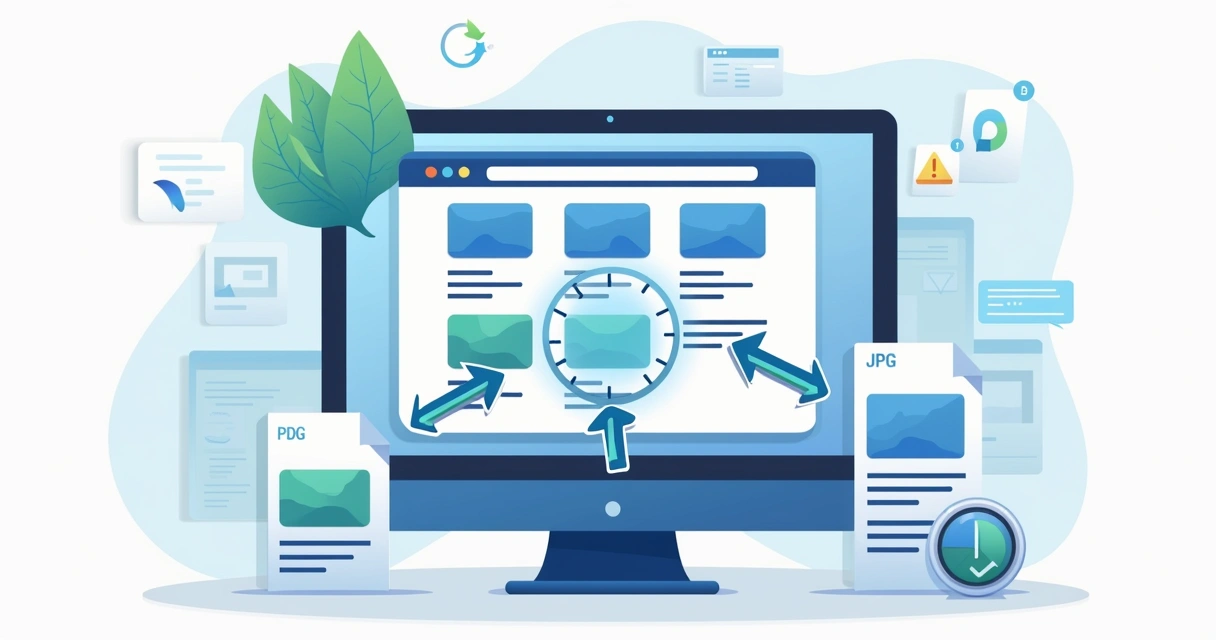
3. Unoptimized images
Large, uncompressed images are among the most common culprits for slow loading times. We always recommend addressing this early to avoid headaches later.
- Compress images before uploading (using JPEG or WebP formats for photos).
- Take advantage of lazy loading. WordPress supports it natively since version 5.5, reducing load times by only loading images as visitors scroll down.
- Use appropriate dimensions for each image. Don’t let a 4000px-wide header slow down a mobile site.
4. Lack of caching
Caching creates and stores static versions of pages, which speeds up load times by serving visitors pre-generated content instead of building pages from scratch every time. We recommend using robust caching solutions that fit your hosting and traffic needs.
- Choose high-quality plugins for page caching.
- If your host offers built-in caching, enable it.
- Consider full-page, object, and browser caching for complex or high-traffic sites.
Many popular plugins exist, but our clients benefit from setups expertly matched to their needs.
5. Poor hosting environment
Your website can only load as fast as your host allows. Low-tier shared hosting usually can’t handle spikes or multiple requests, leading to site slowdowns or downtime. We have helped sites thrive just by migrating them to better hosting.
- Select a host with proven WordPress expertise and quality server configurations.
- Look for SSD storage and good PHP memory limits.
- A host with proactive security and updates improves both speed and uptime.
We believe our service goes further than most competitors by not only recommending but handling migrations for agencies and clients who just want their site to work, always.
6. Bloated databases
WordPress databases can become cluttered over time, storing old revisions, spam comments, transient options, and more. All these buildup make queries slower.
- Schedule regular database cleanups.
- Limit post revisions and remove those you don’t need.
- Optimize tables with simple tools or through phpMyAdmin.
For sites needing extra care, like agencies handling many clients, our maintenance services bring peace of mind.
7. Unoptimized JavaScript and CSS
If scripts and stylesheets are loaded everywhere, even when not needed, pages wait longer to display content. Scripts that block rendering slow things further.
- Minify and combine files when possible.
- Defer or load scripts asynchronously, so content loads first.
- Remove unused CSS libraries or frameworks.
Faster scripts mean visitors stay longer.
8. External requests
Your site might load fonts, analytics, maps, or ads from external servers. These requests add extra time, especially if the originating server is slow.
- Keep external requests to a minimum.
- Host critical assets locally whenever possible.
- Prioritize scripts that truly matter—skip unnecessary marketing pixels and widgets.
Our performance improvement plans help clients determine what’s worth keeping.
9. No content delivery network (CDN)
A CDN distributes your files (images, scripts, styles) across worldwide servers, so users receive content from the closest data center. Without a CDN, distant users get slower load times. We think this simple upgrade benefits any site with international visitors.
- Set up a CDN to serve static content globally.
- Pick a provider that works well with your plugins, themes, and security settings.
- Check integration guides for your cache, image, and security plugins.

10. Not keeping WordPress, themes, and plugins up to date
Updates are not just for security—they often include speed improvements too. We find outdated code leads to compatibility problems, slowdowns, and potential vulnerabilities.
- Schedule regular site updates, including core, plugins, and themes.
- Test major updates on staging before going live, especially on busy sites.
- Work with a team that monitors releases and applies critical patches rapidly, like ours.
We go beyond traditional support through proactive care, reducing risks and unlocking better performance. For those interested, our WordPress tips guide for marketing agencies can offer even more advice.
Conclusion: Act now for a faster WordPress site
Performance bottlenecks are everywhere, and every WordPress site faces them at some point. What matters isn’t avoiding them completely, but knowing how to handle them when they appear. Small changes bring real results, and a more responsive site often leads to better business performance. André’s WordPress Development Services stand out by delivering not only quick fixes, but stable, lasting results for agencies and businesses that rely on their websites every day.
If you want your site to be faster, safer, and ready for growth, get in touch. We are ready to help you build the presence you need, with the expertise you deserve.
Frequently asked questions about WordPress performance bottlenecks
What causes slow loading in WordPress?
Slow loading in WordPress usually comes from too many plugins, heavy themes, large images, poor hosting, and database clutter. Unoptimized scripts and too many third-party assets also play a part. Fixing these issues will speed up your site.
How to fix slow plugins?
Start by identifying which plugins slow your site (use tools or temporarily disable plugins one by one). Replace or remove poorly performing plugins. Always update plugins to their latest versions. When possible, work with a developer to build a custom, lightweight solution. That’s what we do for our clients.
What is a WordPress database bottleneck?
A database bottleneck happens when WordPress cannot quickly process or retrieve data because the database is too crowded or poorly managed. This can result from too many revisions, spam comments, or unused metadata. Regularly cleaning and optimizing your database fixes this issue.
How do I optimize my WordPress images?
To optimize images, compress them before uploading with tools or plugins, use modern formats like WebP, scale images to the right dimensions, and turn on lazy loading. Advanced users can automate this across entire sites, especially those we manage for agencies.
Is caching worth it for WordPress?
Yes, caching makes any WordPress site faster by saving and serving static copies of pages or assets. This reduces server load and helps your visitors see the site faster. With the right setup handled by experienced teams like ours, the gains are noticeable and lasting.