






Case study — custom WordPress development, API integration, email automation and workflow management.
Turning WordPress into a Custom Lead Management System
When I needed a more structured way to manage business leads and follow-up emails, I decided to build a custom WordPress solution rather than rely on a collection of third-party plugins.
The result was a private lead management system built entirely inside the WordPress dashboard.
The plugin combines lead management, customizable statuses, reusable email templates, manual email sending, automated follow-up sequences, email history and transactional email integration with Brevo.
The goal was not to create another generic CRM.
The goal was to build a workflow around a specific business process — while keeping WordPress at the center of the system.
WordPress can be used for much more than publishing content. With the right architecture, it can also become the foundation for custom business applications tailored to a specific workflow.
For this project, I built a custom WordPress plugin to manage leads, organize their sales stages, send personalized emails, automate follow-ups and integrate transactional email activity with Brevo.
The goal was not to build another generic CRM. The goal was to create a focused workflow around a real business process while keeping everything integrated with the WordPress administration environment.
The Challenge
Managing potential clients can quickly become difficult when information is spread across spreadsheets, email applications and different tools.
The workflow needed a way to:
- Keep business and contact information organized.
- Track the current stage of each lead.
- Keep notes associated with a lead.
- Send personalized emails directly from WordPress.
- Reuse common email templates.
- Automatically follow up with leads.
- Maintain a complete communication history.
- Track email delivery and engagement.
- Manage the entire workflow from the WordPress dashboard.
A collection of unrelated plugins could potentially handle individual parts of this process, but that would introduce unnecessary dependencies and make the workflow harder to control.
A custom WordPress plugin provided a more flexible solution.
The Solution
I developed a modular WordPress plugin that adds a private lead management and email automation environment to the WordPress dashboard.
Leads are managed through a custom post type and can contain structured contact information, a custom status, notes, email history and an optional automated follow-up sequence.
The system was designed to use native WordPress functionality wherever it made sense.
- Custom Post Types
- Custom Taxonomy
- Post Meta and Term Meta
- Custom WordPress administration interfaces
- WordPress hooks
- WordPress Cron
- REST API endpoints
- Third-party API integration
- Custom JavaScript and CSS
This approach keeps the solution integrated with WordPress instead of building a separate application that happens to communicate with it.
Lead Management Inside WordPress
Each lead has its own WordPress editing interface, combining standard WordPress functionality with custom fields and workflow controls.
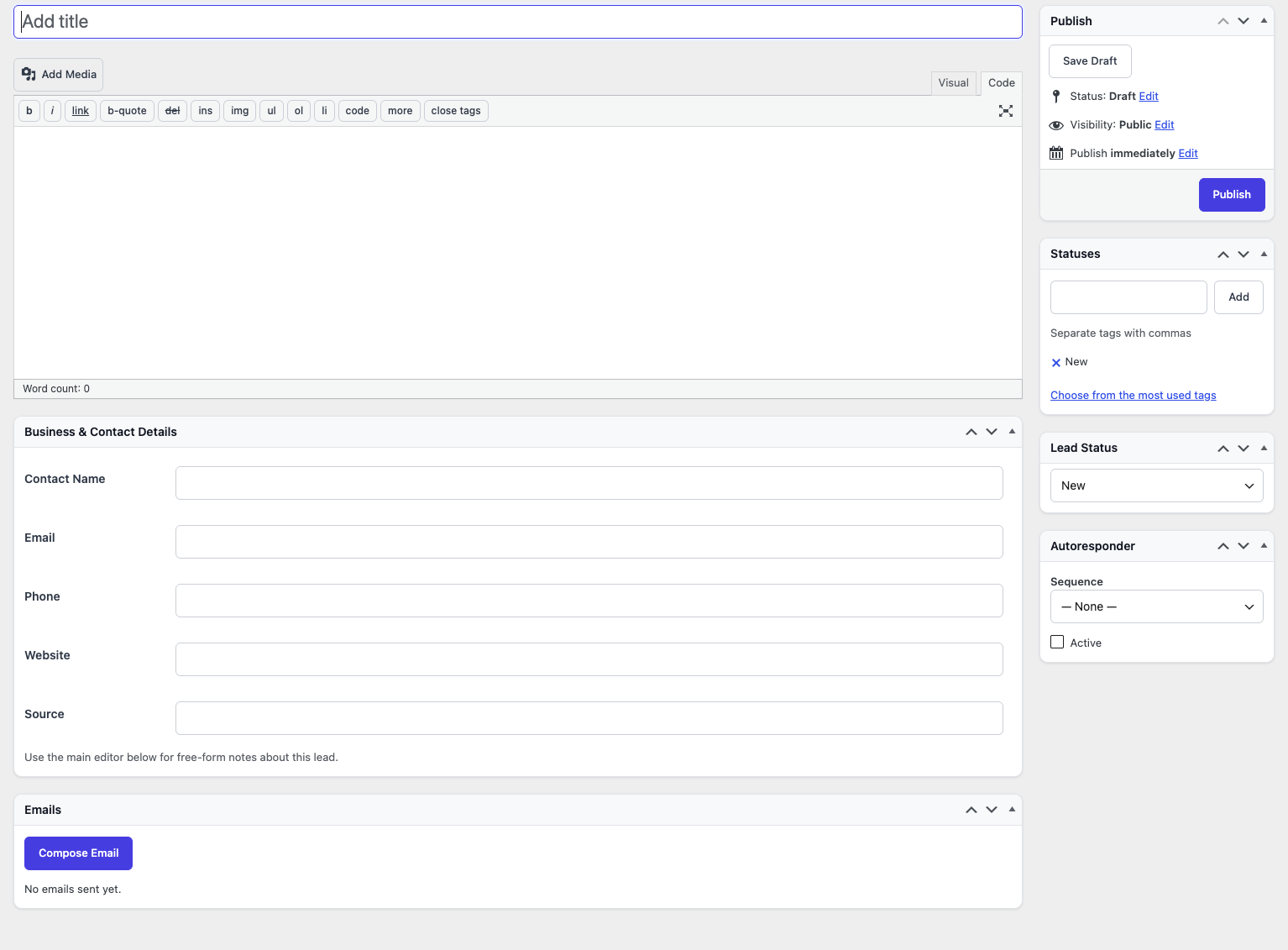
The lead record can contain:
- Contact name
- Email address
- Phone number
- Website
- Lead source
- Lead status
- Free-form notes
- Email history
- Autoresponder configuration
Structured information is handled through dedicated meta boxes while the main WordPress editor remains available for notes and additional context.
This keeps the interface familiar to WordPress users while allowing the application to implement a workflow that is specific to the business requirement.
A Custom Lead Pipeline
Instead of relying on WordPress’s standard post statuses, I created a dedicated taxonomy for lead stages.
The default pipeline includes:
New → Contacted → Follow-up → Negotiating → Won / Lost
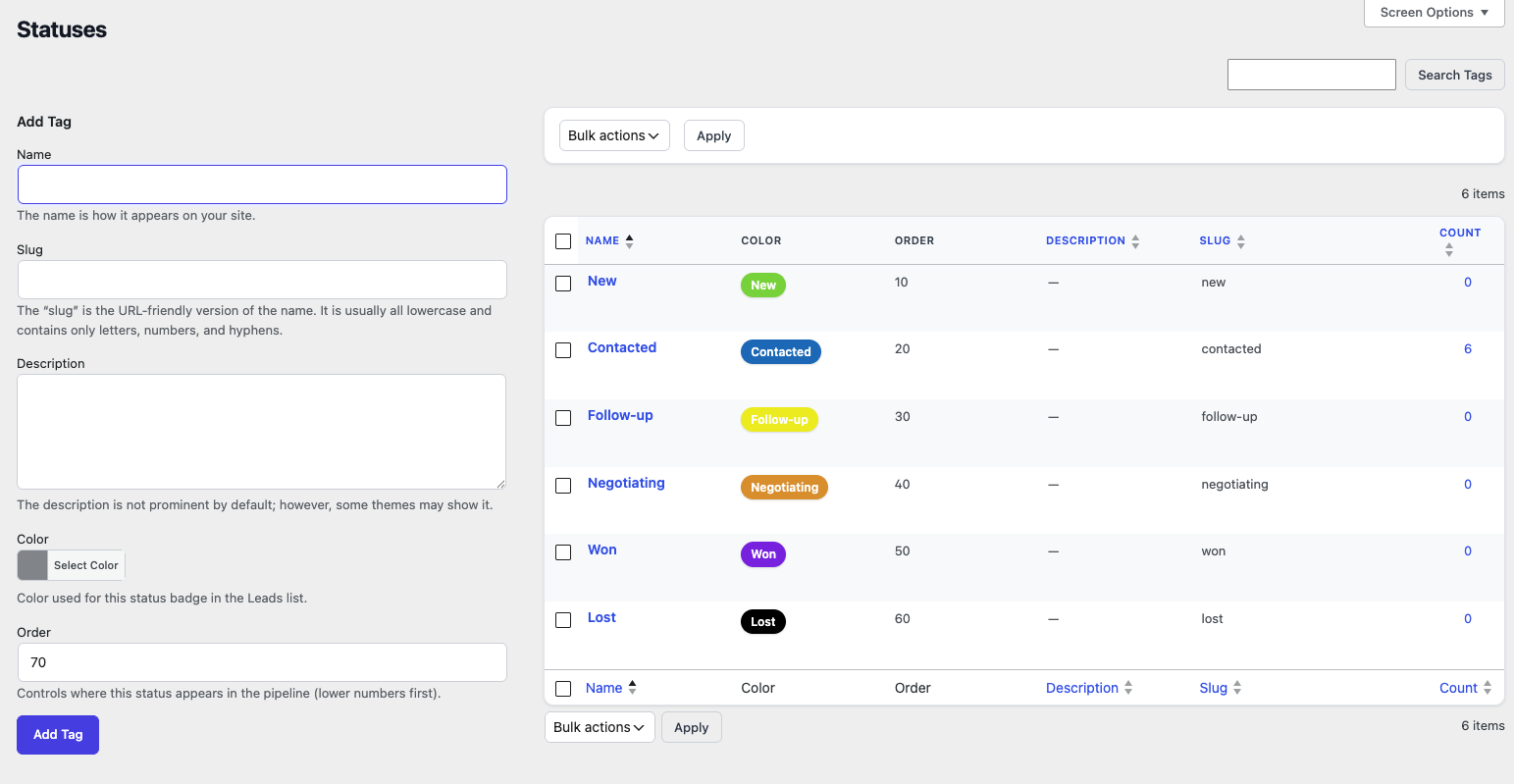
Each status can have its own color and position in the pipeline. Status-specific metadata is stored separately from the lead content itself, allowing the pipeline to remain flexible.
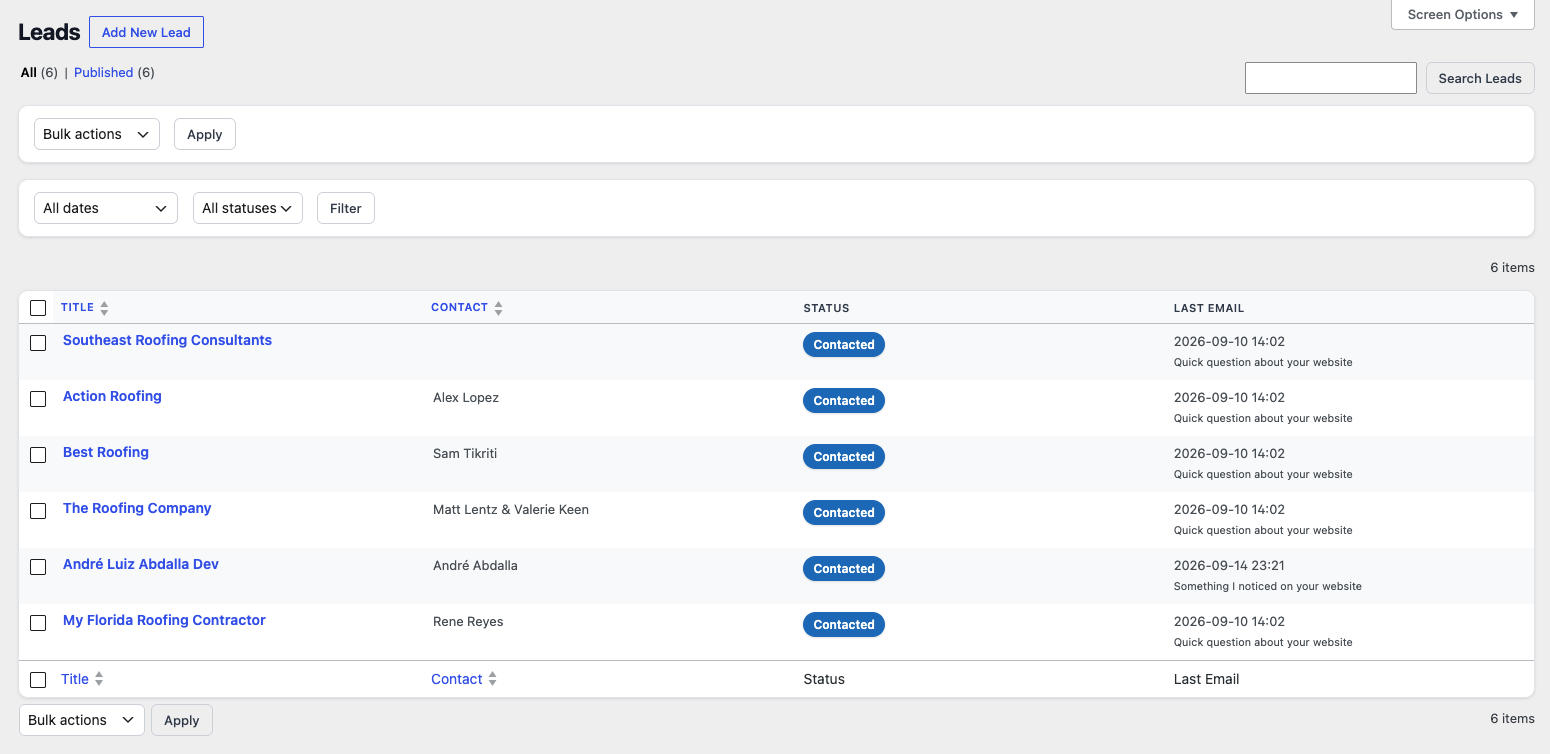
Custom Administration Columns
The standard WordPress post list did not provide enough information for this workflow, so I extended the administration table with custom columns.
- Contact
- Phone
- Website
- Status
- Autoresponder
- Last email
This turns the standard WordPress list screen into a practical lead overview without requiring a separate application.
Reusable Email Templates
The plugin includes a dedicated email template system so commonly used messages can be created once and reused whenever needed.
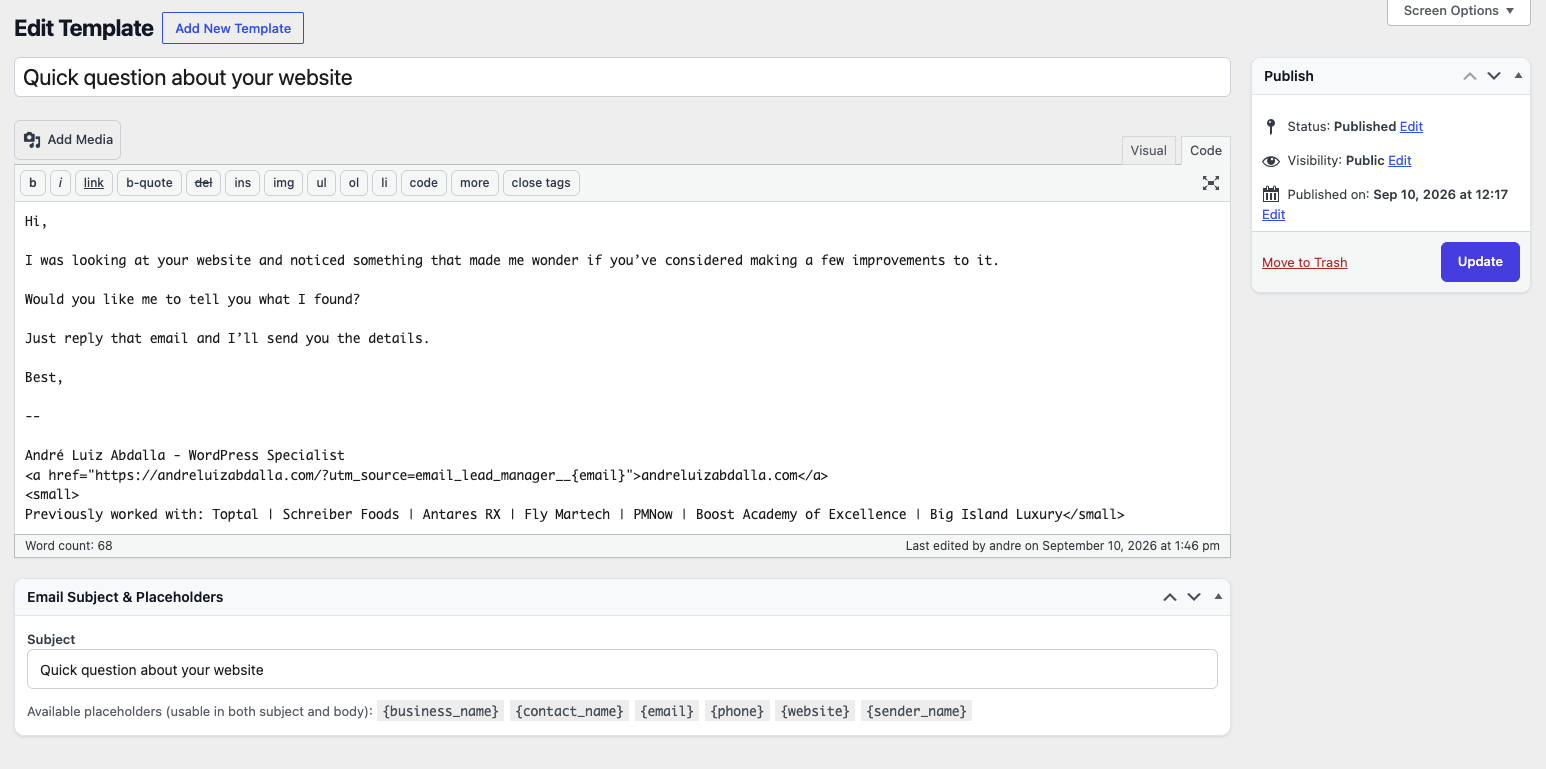
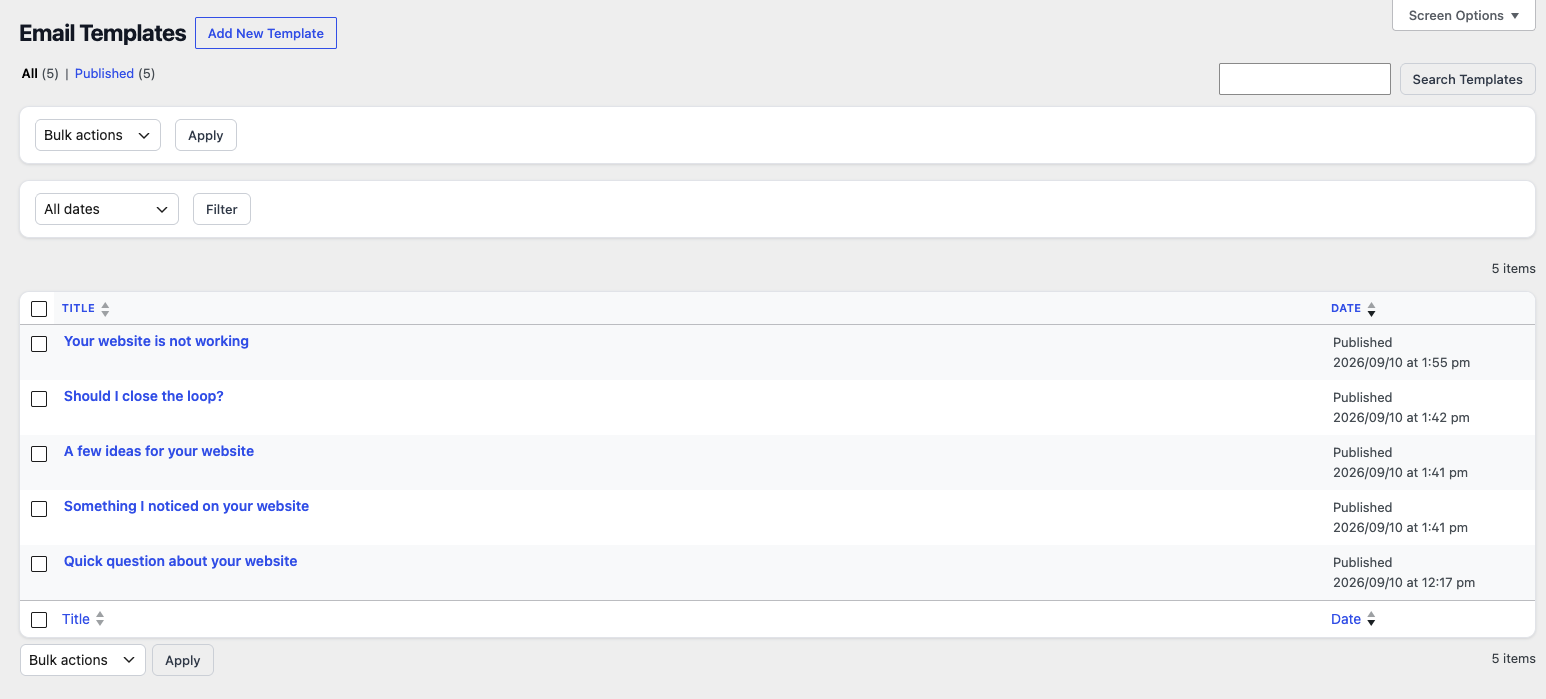
Templates contain a subject and message body and support dynamic placeholders such as:
{business_name}
{contact_name}
{email}
{phone}
{website}
{sender_name}
When an email is sent, the placeholders are replaced with information from the selected lead.
This makes it possible to maintain reusable templates while still generating personalized messages for each recipient.
Sending Emails Directly From WordPress
I also built a dedicated email composition interface for sending messages from inside the WordPress administration area.
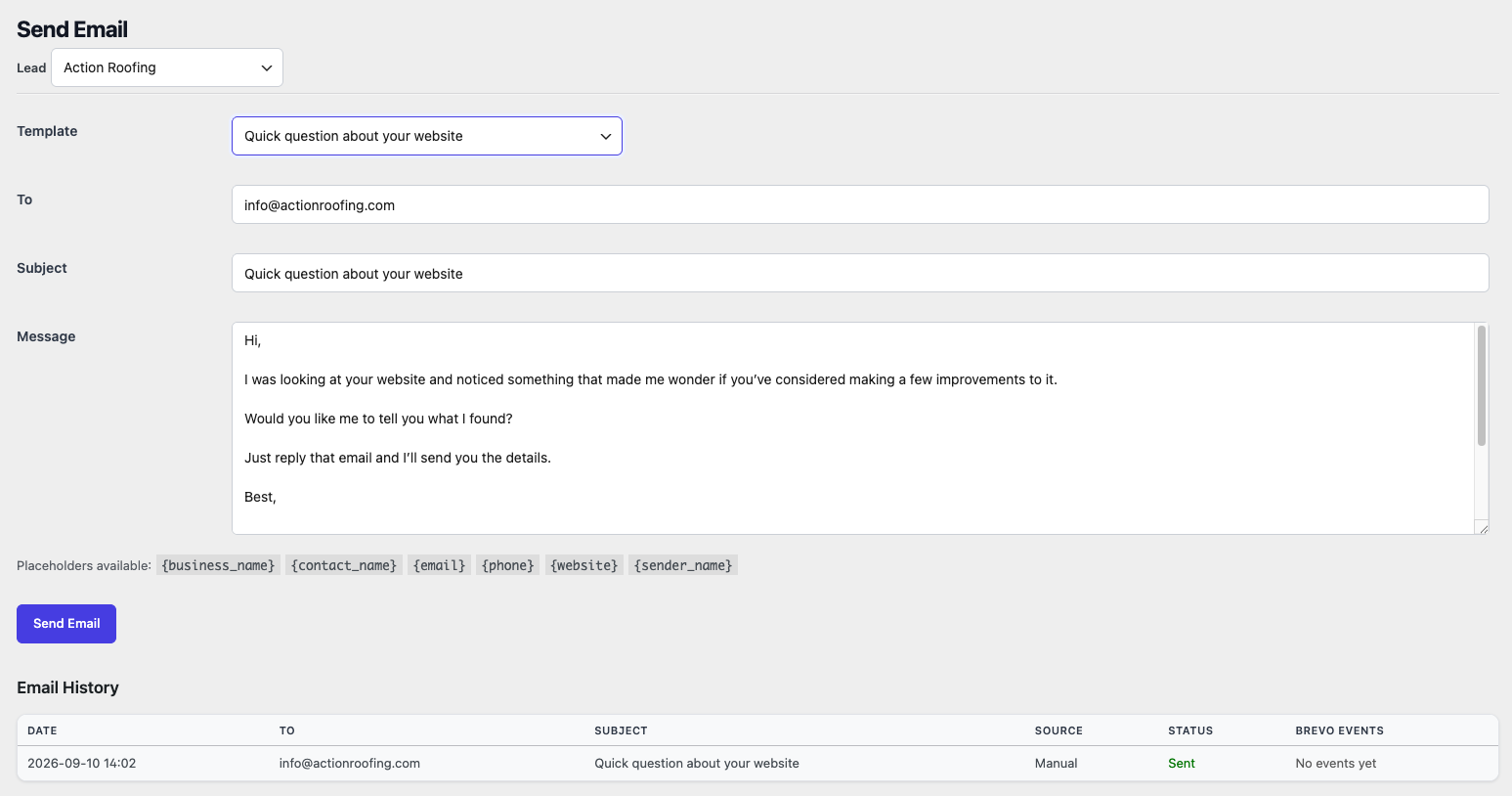
The workflow is simple:
- Select a lead.
- Select an email template.
- Load the template into the message editor.
- Personalize or modify the message if necessary.
- Send the email.
- Store the result in the email history.
The template is loaded dynamically when selected, reducing unnecessary page reloads and keeping the administration interface responsive.
Email History and Centralized Logging
Every email sent through the system is recorded. The plugin maintains both individual lead history and a centralized email log.
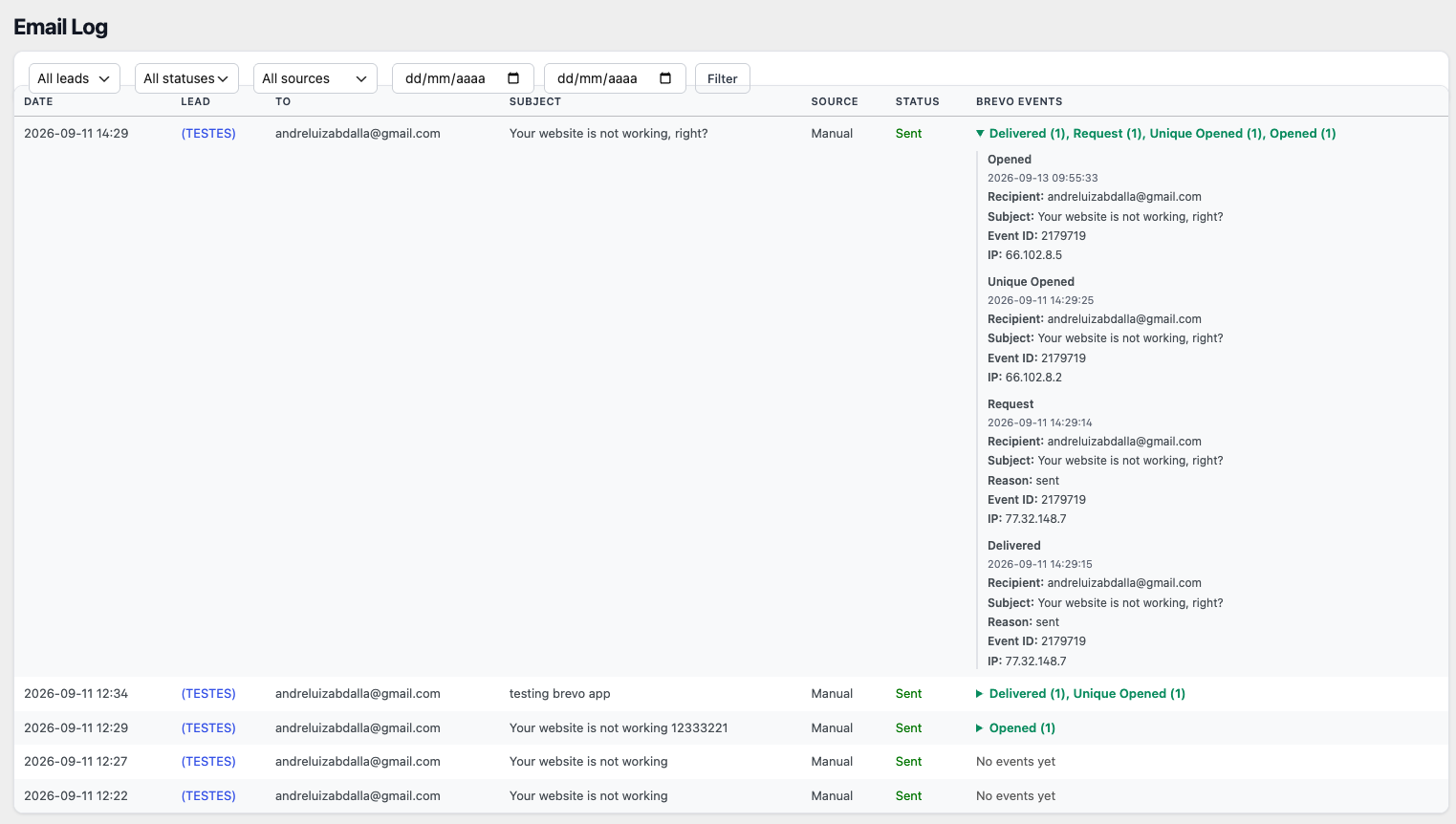
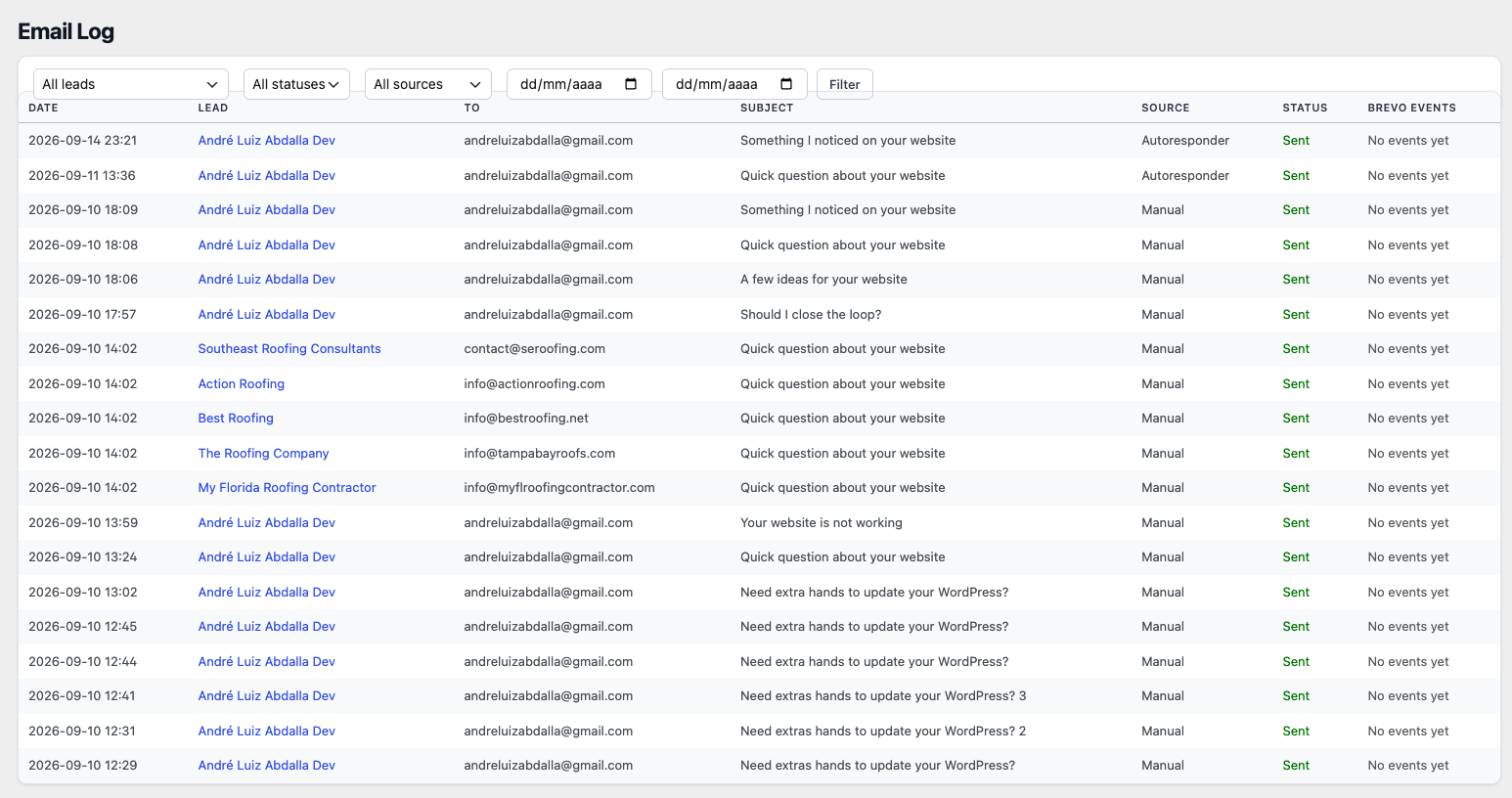
The global log can be filtered by lead, email status, source and date range. The system also distinguishes between manually sent emails and messages generated by the autoresponder.
This creates a complete communication history without requiring the user to leave WordPress.
Automated Follow-Up Sequences
One of the more advanced parts of the plugin is the autoresponder system.
Instead of sending every follow-up manually, a sequence can be configured using individual steps.
| Day | |
|---|---|
| 1 | Quick question about your website |
| 3 | Something I noticed on your website |
| 5 | A few ideas for your website |
| 7 | Should I close the loop? |

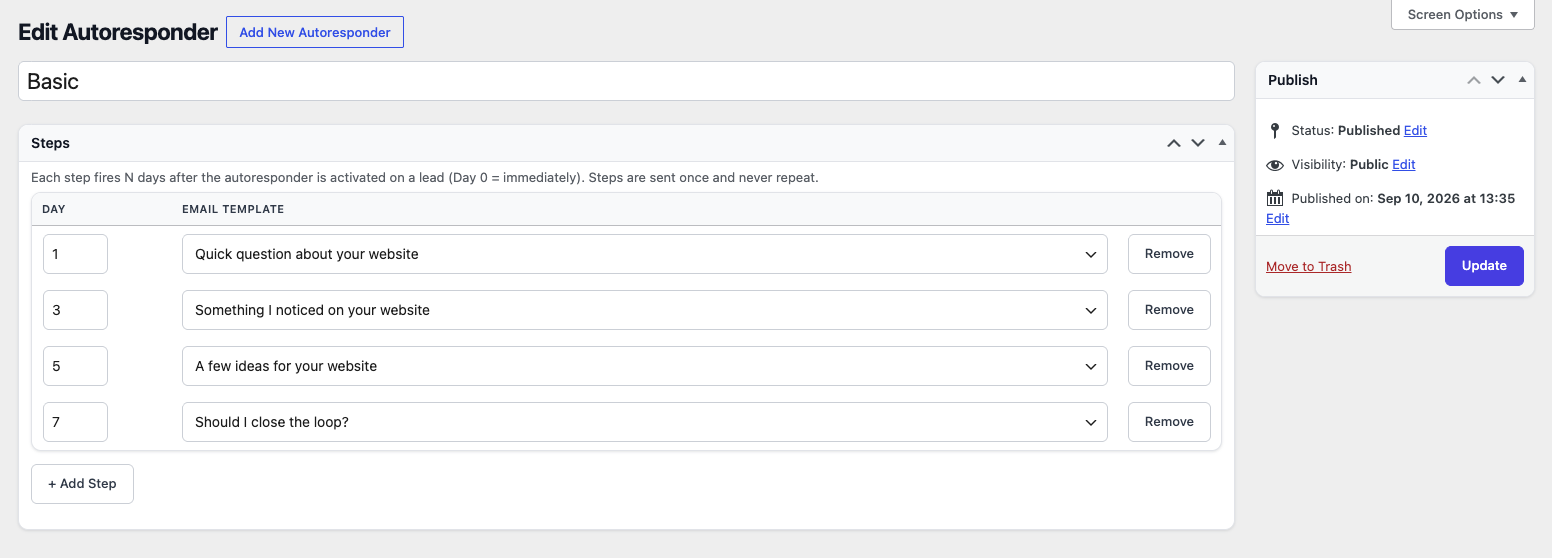
Each sequence stores the delay for every step and associates that step with a reusable email template.
Once a sequence is activated for a lead, the system keeps track of the start date, completed steps, next scheduled message and active or paused state.
WordPress Cron for Automated Processing
The autoresponder uses WordPress Cron to periodically check active sequences and process messages that have become due.
A manual Run Autoresponder Now action is also available in the settings interface. This is useful for testing the automation without having to wait for the next scheduled execution.
Brevo API Integration
For transactional email delivery, I integrated the plugin with Brevo.
The plugin supports multiple delivery approaches, including the standard WordPress mail system, Brevo SMTP and the Brevo API.
The API integration handles the communication between WordPress and the external email service, including authentication, request construction, JSON payloads, response handling and message identification.
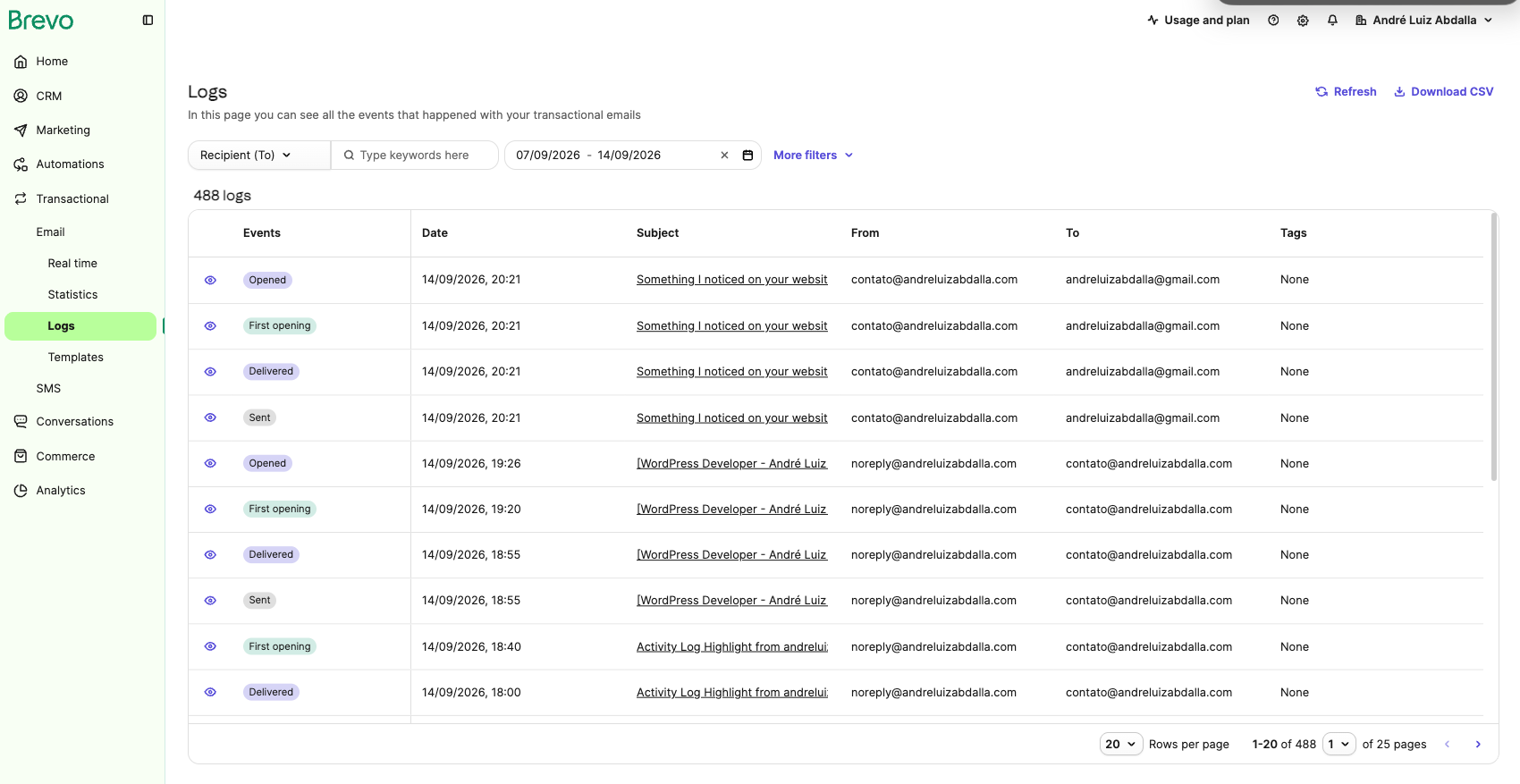
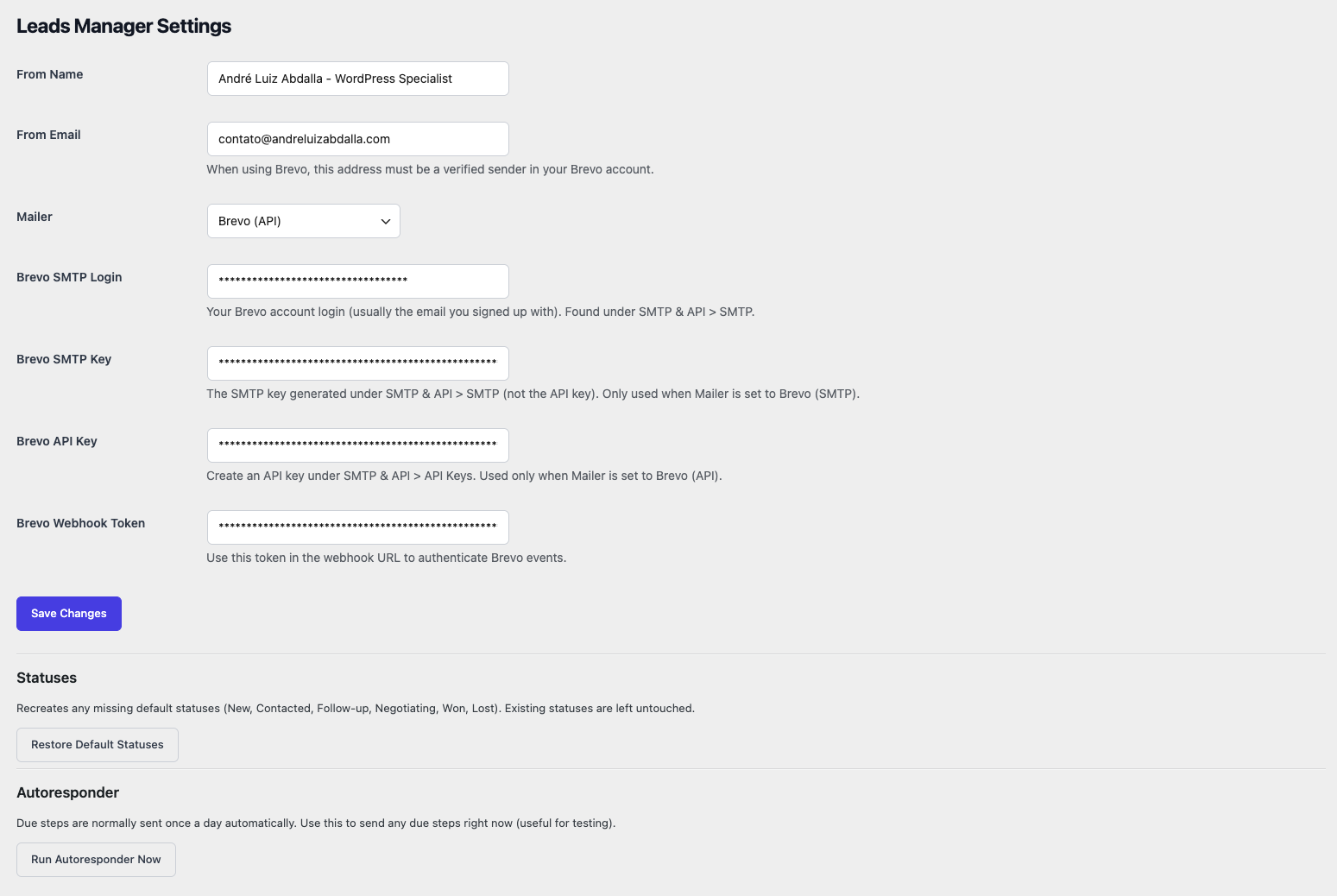
This keeps the business workflow inside WordPress while allowing a dedicated transactional email platform to handle message delivery.
Webhooks and Email Tracking
The integration goes beyond simply sending emails.
The plugin exposes a custom WordPress REST API endpoint that can receive webhook events from Brevo. The original message identifier is used to associate external events with the corresponding email stored in WordPress.
This creates a two-way communication flow:
WordPress
   │
   │ Send email
   ▼
Brevo API
   │
   │ Message ID
   ▼
WordPress Email Log
   │
   │ Brevo webhook events
   ▼
WordPress REST API
   │
   ▼
Email history updated
Events such as delivery, opens and clicks can then be associated with the original message and displayed in the WordPress email history.
Monitoring Automated Sequences
A dedicated Autoresponder Status screen provides an overview of active sequences.

The interface shows the lead, sequence, current status, start date, progress, next email and scheduled date.
This makes the automation transparent and easier to monitor instead of turning it into an invisible background process.
WordPress Architecture
The plugin is organized into separate components rather than putting all functionality into a single file or relying on a large collection of procedural code.
- Lead management and post type functionality
- Status and taxonomy management
- Email templates
- Email delivery
- Brevo API integration
- Webhook processing
- Email logging
- Administration columns and screens
- Autoresponder processing
- Plugin settings
- Custom CSS and JavaScript assets
This separation makes the system easier to maintain and provides a foundation for adding functionality without turning the plugin into an unmanageable codebase.
Security and WordPress Best Practices
Because the plugin handles contact information, email activity and API credentials, security was an important part of the implementation.
- Nonce verification for administrative actions
- Capability checks
- Input sanitization
- Output escaping
- Email and URL validation
- Safe redirects
- Webhook authentication
- Protected plugin functionality
- Secure handling of API and SMTP credentials
The lead content is also treated as private application data rather than public-facing WordPress content.
GitHub and Automated Deployment
The plugin is maintained as a Git repository and can be deployed through a GitHub Actions workflow.
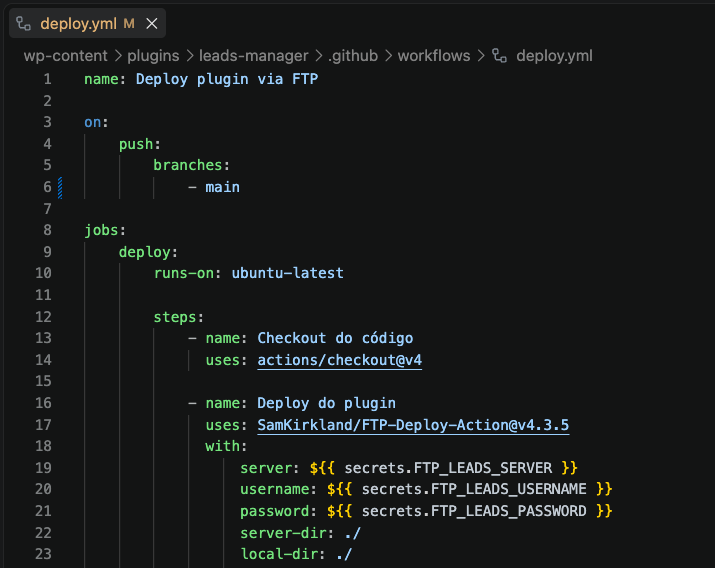
This provides a repeatable development and deployment workflow for custom WordPress functionality.
What This Project Demonstrates
This project brings several areas of WordPress development together in a single practical application.
- Custom WordPress Plugin Development
- PHP Development
- WordPress APIs
- Custom Post Types
- Custom Taxonomies
- Post Meta
- REST API Integration
- Third-Party API Integration
- Email Automation
- WordPress Cron
- Webhook Processing
- Custom WordPress Admin UI
The Result
The final result is a self-contained lead management and email automation system running directly inside WordPress.
It provides a single interface for managing leads, organizing their sales stage, composing personalized emails, automating follow-ups, recording communication history and connecting email activity from an external transactional email platform.
More importantly, the project demonstrates how WordPress can be extended beyond its traditional content-management role to support custom business workflows and integrations.
When an off-the-shelf plugin isn’t the right fit, custom WordPress development can provide the functionality required while keeping the solution integrated with the existing WordPress environment.
Need a Custom WordPress Solution?
If your WordPress project requires functionality that isn’t available in an existing plugin, I can help design and develop a custom solution around your requirements.
Custom WordPress Plugins · API Integrations · Automation · PHP Development
Let’s discuss your WordPress project →
Project shown as a technical case study. Screenshots illustrate the custom administration interfaces and workflow developed for the plugin.








